
Prateek Agrawal Jun 27, 2026 No Comments
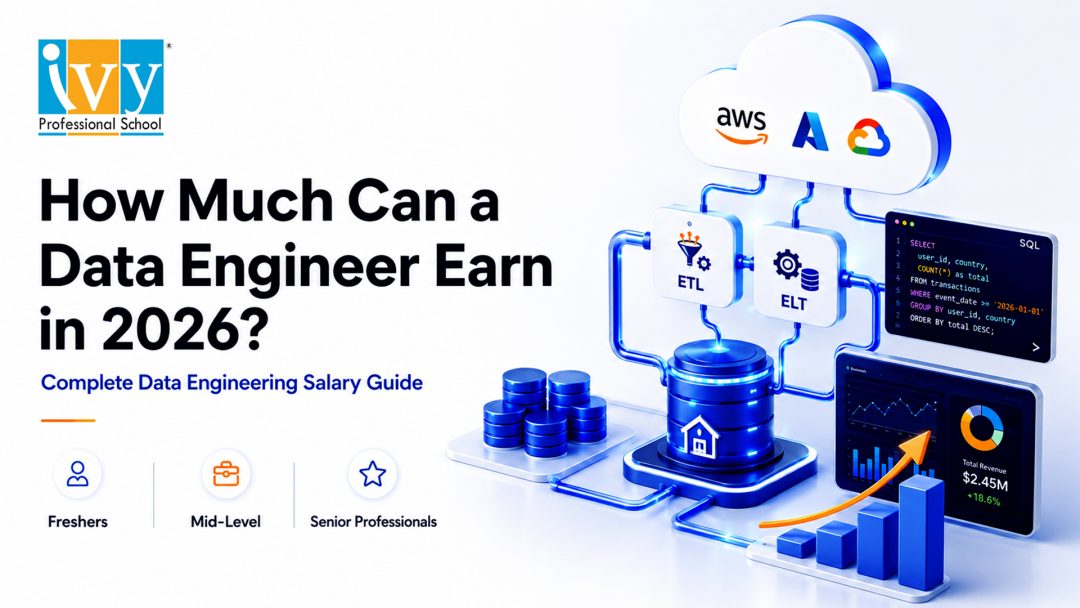
The average data engineering salary in India is approximately ₹10 lakh per year. However, actual salaries can range from around ₹4 lakh per year for freshers to more than ₹40 lakh per year for experienced data engineers, data architects and engineering leaders.
The data engineering salary offered by an organisation depends on several factors, including the candidate’s experience, technical skills, educational background, industry, location and ability to work with modern cloud-based data platforms.
A professional who knows basic SQL and Python may start with a moderate package. In comparison, someone who can build scalable cloud pipelines, manage distributed data-processing systems and design enterprise data platforms can command a substantially higher data engineering salary.
| Experience Level | Indicative Annual Salary |
| Fresher or entry-level professional | ₹4–8 lakh |
| 2–4 years of experience | ₹7–14 lakh |
| 5–8 years of experience | ₹14–25 lakh |
| 8 or more years of experience | ₹22–40 lakh or more |
| Data architect or engineering leader | ₹30–60 lakh or more |
These figures are broad market estimates. Product companies, global capability centres, fintech organisations and high-growth technology companies may offer compensation above these ranges.
The data engineering salary is increasing because companies are generating more data than ever before.
Businesses collect information through websites, mobile applications, customer transactions, enterprise resource planning systems, marketing platforms, connected equipment and social media channels. This data must be collected, cleaned, integrated, stored and made available before it can support business decisions.
Data engineers build the infrastructure that makes this possible.
Their work supports:
Organisations may employ data analysts and data scientists, but these professionals cannot work effectively without reliable data pipelines. This dependency has increased the importance of data engineers and contributed to the growth of the data engineering salary across industries.
Data engineering also requires a combination of skills that is not always easy to find. Employers need professionals who understand programming, databases, cloud infrastructure, distributed computing, security, governance and business requirements.
This combination of technical depth and operational responsibility makes data engineering one of the better-paid career options within the broader data and analytics domain.

The typical data engineering salary for freshers in India ranges from approximately ₹4 lakh to ₹8 lakh per year.
Candidates from recognised engineering institutions, applicants with relevant internships and professionals who have completed practical cloud projects may receive higher offers. Some premium product companies and global technology organisations may offer entry-level packages above ₹10 lakh per year.
A fresher’s starting package depends on several important factors.
SQL is one of the most important skills for an entry-level data engineer. Candidates should be comfortable with:
Freshers who can solve realistic business problems using SQL may qualify for a better data engineering salary than candidates who know only basic commands.
Python is widely used for pipeline development, data transformation, automation, validation and API integration. Knowledge of Java or Scala may also be valuable, particularly in organisations using Apache Spark.
A candidate does not need to be an advanced software engineer at the beginning of the career. However, the ability to write clean, reusable and well-structured code can improve employment opportunities.
Completing online courses is useful, but employers increasingly look for practical evidence of capability.
A strong beginner-level project may involve:
Candidates who can explain the complete architecture of such a project may negotiate a stronger data engineering salary.

Entry-level professionals should develop practical familiarity with at least one cloud platform:
Even basic experience with cloud storage, pipeline orchestration and data warehouses can strengthen a fresher’s profile.
An internship involving SQL, Python, cloud platforms, business intelligence or backend development can improve employability. It demonstrates that the candidate understands how data systems work in a professional environment.
Freshers should not evaluate a role only by its initial compensation. A lower-paying position that provides exposure to Spark, Databricks, Snowflake or Azure Data Factory may create better long-term growth than a higher-paying role restricted to repetitive manual tasks.
Experience is one of the biggest determinants of compensation. However, the quality and relevance of the experience are more important than the number of years alone.
The data engineering salary for an entry-level professional generally ranges from ₹4 lakh to ₹9 lakh per year.
Common responsibilities include:
At this stage, professionals should focus on building strong foundations in SQL, Python, data warehousing and cloud technologies.
The data engineering salary for a mid-level professional generally ranges from ₹8 lakh to ₹18 lakh per year.
Mid-level engineers are expected to work independently and take responsibility for complete workflows. Their responsibilities may include:
Professionals who can work with Spark, Databricks, Kafka, Snowflake or modern cloud services are often positioned toward the upper end of the salary range.
The data engineering salary for a senior professional typically ranges from ₹15 lakh to ₹30 lakh per year.
Senior data engineers are expected to make architecture decisions, manage technical risks and guide junior team members.
Their responsibilities frequently include:
At this level, communication, system design and stakeholder-management skills become as important as coding ability.
Lead data engineers, engineering managers and data architects may earn between ₹25 lakh and ₹50 lakh per year. Professionals working for premium global companies may receive even higher compensation.
At this level, the data engineering salary may include fixed pay, performance bonuses, stock options and retention incentives.
These professionals may be responsible for:
Location continues to influence salaries, although remote and hybrid roles have reduced some geographical differences.
Bengaluru generally offers some of the highest salaries in India because of its concentration of technology companies, global capability centres and startups.
The data engineering salary in Bengaluru may range from ₹7 lakh to ₹30 lakh per year, depending on experience and specialisation. Senior professionals working for product companies may earn substantially more.
Hyderabad has a strong presence of multinational technology companies, pharmaceutical organisations, financial-services firms and cloud development centres.
Data engineers in Hyderabad may earn approximately ₹6 lakh to ₹25 lakh per year.
Pune offers opportunities across IT services, automotive, manufacturing, banking and enterprise software.
The data engineering salary in Pune may range from approximately ₹5.5 lakh to ₹22 lakh per year.
Mumbai’s banking, fintech, consulting, insurance and media sectors create demand for professionals who can handle large and sensitive datasets.
Salaries may range from ₹6 lakh to ₹25 lakh per year, with premium opportunities available in banking and fintech.
Gurugram and Noida host consulting companies, ecommerce organisations, global capability centres and technology firms.
The data engineering salary in Delhi NCR may range from ₹6 lakh to ₹26 lakh per year.
Chennai offers data engineering opportunities in IT services, automotive, manufacturing, banking and software development.
Professionals may earn between ₹5 lakh and ₹22 lakh per year.
Data engineering opportunities in Kolkata are expanding across analytics, consulting, IT services and remote engineering teams.
While the local data engineering salary may sometimes be lower than salaries in Bengaluru or Gurugram, remote employment is giving professionals access to national and international opportunities.
Candidates should compare compensation with the cost of living, project quality, learning opportunities, work flexibility and long-term career potential.

A degree may help someone enter the profession, but long-term salary growth depends primarily on skills and business impact.
Data engineers must do more than retrieve information from tables. High-paying positions require the ability to:
Advanced SQL capability can directly influence the data engineering salary offered to a candidate.
Python is commonly used for pipeline development, automation, validation and API integration.
Java and Scala are particularly useful in large-scale Spark environments. Professionals who can write tested, maintainable and production-ready code generally earn more than those who depend entirely on visual or low-code tools.
Cloud capability is one of the strongest salary differentiators.
Valuable services include:
Developing deep expertise in one cloud environment can substantially improve a professional’s data engineering salary.
Apache Spark is used to process large datasets across distributed computing environments. Databricks provides a unified platform for data engineering, analytics and machine learning.
Engineers who can optimise Spark jobs, manage clusters and build lakehouse solutions are often eligible for premium compensation.
Employers value professionals who understand:
Knowledge of Snowflake, BigQuery, Redshift, Synapse or Microsoft Fabric can improve the data engineering salary available to a candidate.
Data pipelines must be scheduled, monitored and managed reliably.
Common orchestration tools include:
Professionals who understand dependencies, retries, alerts, logging and failure-handling mechanisms are particularly valuable in production environments.
Real-time data-processing skills can command premium salaries because streaming architectures are technically complex and often business-critical.
Relevant technologies include:
These systems are used in fraud detection, ecommerce personalisation, financial trading, connected manufacturing and operational monitoring.
Modern data engineers increasingly work with:
Data engineers who can deploy, test and monitor pipelines systematically may receive a higher data engineering salary.
Generative AI is increasing the demand for professionals who can build data pipelines for:
Data engineers do not necessarily need to become data scientists. However, understanding how data is prepared and delivered to artificial intelligence applications can create access to premium positions.
Some industries pay more because their data environments are larger, more regulated or closely connected to revenue generation.
| Industry | Salary Potential | Common Use Cases |
| Product technology | High | Customer platforms, AI and large-scale analytics |
| Banking and fintech | High | Transactions, fraud, risk and compliance |
| Ecommerce | High | Recommendations, pricing and customer behaviour |
| Consulting | Medium to high | Cloud migration and client implementations |
| Healthcare | Medium to high | Clinical, operational and compliance data |
| Manufacturing | Medium to high | IoT, production, quality and supply chains |
| IT services | Medium | Enterprise projects and managed services |
| Retail and FMCG | Medium to high | Sales, inventory and consumer analytics |
| Telecommunications | High | Network, customer and streaming data |
The data engineering salary within an industry also depends on the organisation’s technology maturity and the importance of data to its business model.
For example, a traditional manufacturing company beginning its cloud journey may offer different responsibilities and compensation from a digitally mature ecommerce company processing millions of transactions every day.
Data engineers generally earn more than data analysts because engineering roles require deeper programming, infrastructure and system-design capabilities.
| Role | Main Responsibility | Indicative Salary |
| Data analyst | Analyses data and creates reports | ₹4–12 lakh |
| BI developer | Builds dashboards and reporting models | ₹5–15 lakh |
| Data engineer | Builds data pipelines and platforms | ₹6–25 lakh |
| Data scientist | Develops analytical and ML models | ₹7–25 lakh |
| Data architect | Designs enterprise data systems | ₹20–50 lakh or more |
The difference between a data analyst’s compensation and a data engineering salary is not fixed. Senior analysts with strong domain expertise may earn more than junior engineers.
A data analyst can transition into data engineering by developing:
Similarly, backend developers and database professionals can move into data engineering by learning modern data architectures and cloud services.
Data engineering is also a well-paid profession internationally.
In the United States, experienced professionals may earn more than $130,000 annually. Compensation can be significantly higher in product companies when bonuses and equity are included.
In the United Kingdom, salaries may range from approximately £45,000 to £90,000, depending on experience, location and industry.
The data engineering salary in Canada, Australia, Singapore, the Middle East and Europe varies according to market demand, taxation, visa status and the type of organisation.
Professionals comparing international salaries should consider:
A larger salary figure does not automatically result in greater savings or a better quality of life.
Professionals seeking better compensation should follow a deliberate career-development strategy.
Create projects that demonstrate complete data workflows rather than isolated exercises.
A strong portfolio project should include:
Employers value candidates who can explain why they selected a particular architecture and how they handled performance, reliability and security.
Choose Azure, AWS or Google Cloud and become confident with its main data services.
Avoid learning only the names of many tools without being able to implement a working solution. Practical depth is more likely to improve your data engineering salary than superficial exposure to multiple platforms.
Senior roles require an understanding of scalability, reliability, security, performance and cost.
Professionals should be able to explain:
During interviews and performance appraisals, explain measurable outcomes rather than listing routine responsibilities.
Instead of saying:
“I developed ETL pipelines.”
Say:
“I redesigned 15 ETL pipelines, reduced processing time by 40% and lowered monthly cloud costs by 18%.”
Evidence of measurable impact provides stronger justification for a higher data engineering salary.
Senior engineers work with business leaders, analysts, data scientists, security professionals and application-development teams.
The ability to clarify requirements, document decisions and explain technical trade-offs supports promotion into leadership positions.
Changing jobs can produce a larger salary increase than an annual appraisal. However, frequent movement without meaningful skill development may weaken a professional profile.
The best opportunities usually offer a combination of:
Data engineering remains a strong career option because reliable data infrastructure is essential for analytics, automation and artificial intelligence.
AI coding tools may automate some routine SQL generation, documentation and pipeline-development tasks. However, companies still need professionals who can design architecture, validate information, manage security, optimise costs and maintain production reliability.
The data engineering salary is likely to remain attractive for professionals who combine:
Entry-level work may become more automated, making practical experience increasingly important. Candidates who rely only on certificates or memorised interview answers may find it difficult to qualify for high-paying positions.
The average data engineering salary in India is approximately ₹10 lakh per year. Actual salaries vary depending on experience, technical expertise, employer, industry and location.
Freshers can generally expect between ₹4 lakh and ₹8 lakh per year. Candidates with internships, cloud certifications and strong projects may receive higher offers.
Yes. Professionals with approximately four to eight years of relevant experience and expertise in cloud platforms, Spark, Databricks, Snowflake or real-time systems can earn ₹20 lakh or more.
There is no single highest-paying skill. A combination of cloud architecture, Spark, Databricks, data modelling, streaming systems and software-engineering capability generally creates the strongest earning potential.
The average data engineering salary is generally higher than an average data analyst salary because data engineering requires deeper programming and infrastructure knowledge. However, compensation depends on experience, specialisation and business impact.
Yes. Most professional positions require SQL and at least one programming language, commonly Python, Java or Scala. Low-code platforms may support development, but coding ability creates better long-term career flexibility.
Yes. Employers primarily evaluate technical capability, project experience and problem-solving skills. Candidates from non-technical backgrounds may need additional preparation in programming, databases, operating systems and cloud technologies.
Azure, AWS and Google Cloud all offer strong career opportunities. The best option depends on the candidate’s target industries and employers.
AI may automate repetitive development activities, but it is also increasing the need for reliable data platforms. Professionals who use AI tools effectively and develop architecture, governance and engineering skills are likely to remain valuable.
The data engineering salary in India reflects the growing importance of reliable data infrastructure. Freshers may begin with ₹4–8 lakh per year, while experienced engineers, architects and platform leaders can earn ₹25–50 lakh or more.
The strongest salary growth comes from combining advanced SQL, programming, cloud platforms, distributed processing, data modelling and system-design expertise.
Data engineering should not be treated as a collection of tools. It is an engineering discipline focused on creating secure, reliable and scalable systems that make data usable.
Professionals who can solve complex business problems, manage production platforms and support AI-driven applications will continue to command a premium data engineering salary in India and international markets.
Prateek Agrawal Jun 18, 2026 No Comments
Data engineering has become one of the most important career paths in the modern data economy. Every organization now depends on data from applications, websites, CRMs, ERPs, payment platforms, marketing systems, IoT devices, and customer touchpoints. But raw data is rarely ready for business use. It must be extracted, cleaned, transformed, validated, modeled, and delivered in a reliable form. This is where SQL becomes essential.
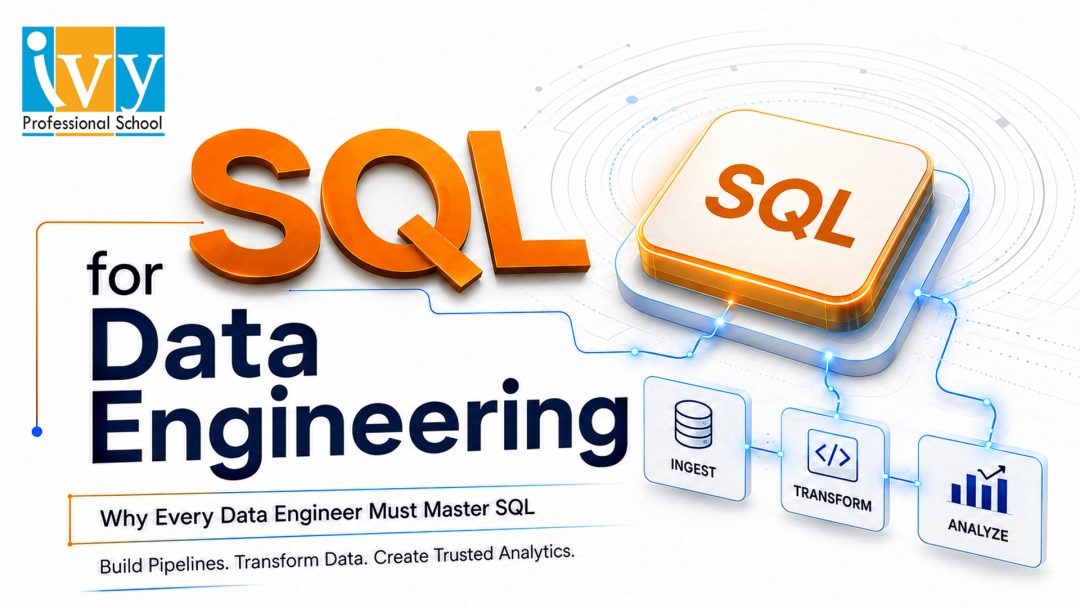
SQL for Data Engineering is not just about writing basic queries. It is about building the logic that powers data pipelines, data warehouses, analytics dashboards, reporting systems, and machine learning datasets. While tools such as Python, Spark, Airflow, dbt, Snowflake, BigQuery, Redshift, and Databricks are widely used in the data ecosystem, SQL remains the common language across most platforms.
For any aspiring data engineer, SQL for Data Engineering should be treated as a foundation skill. It helps professionals understand source systems, transform data at scale, test data quality, and create trusted datasets for decision-making. A data engineer who is strong in SQL can debug faster, collaborate better, and build pipelines that are easier to maintain.
This is why professional learning institutes such as Ivy Professional School emphasize practical SQL training as part of data analytics, data science, AI, and data engineering learning paths. For students and working professionals, SQL for Data Engineering creates a clear bridge between classroom learning and production data work. Tools may change, but the ability to reason with structured data remains central.
For beginners, SQL often means selecting rows from a table. For data engineers, SQL has a much larger role.
SQL for Data Engineering means using SQL to move data from raw systems to business-ready datasets. It includes extracting records, joining tables, cleaning fields, standardizing formats, creating derived columns, aggregating data, validating outputs, and preparing tables for downstream users.
A data engineer does not only ask, “Can I get the answer?” The real question is, “Can this logic run every day, at scale, without breaking and without producing incorrect numbers?” This mindset is what makes SQL an engineering skill.
For example, a reporting query may calculate last month’s revenue once. A data engineering query may build a reusable revenue table that updates daily, handles refunds, excludes test transactions, adjusts for time zones, and supports dashboards across the company. That is the practical difference. SQL for Data Engineering is therefore about repeatable, governed, and business-aligned transformation logic.
Some professionals assume SQL may become less important because data engineering now includes Python, Spark, APIs, orchestration tools, and AI-assisted development. In reality, SQL has become more important because modern platforms have adopted SQL deeply.
SQL for Data Engineering works across relational databases, cloud data warehouses, and lakehouse platforms. Analysts use SQL. BI tools generate SQL. Data scientists use SQL to prepare datasets. Transformation frameworks often rely on SQL. Even distributed processing engines support SQL-style logic.
This matters because SQL is readable and declarative. Instead of writing every processing step manually, engineers can describe the result they want, and the database or processing engine decides how to execute it. That makes SQL ideal for transformations, metric definitions, and audit-friendly logic.
In production environments, readability is not cosmetic. Data pipelines are business infrastructure. Multiple people need to understand them, review them, modify them, and trust them.

ETL stands for Extract, Transform, Load. ELT stands for Extract, Load, Transform. Both are central to data engineering, and both depend heavily on SQL.
SQL for Data Engineering is used to clean raw tables, standardize data formats, join multiple sources, create staging layers, build intermediate tables, and publish final analytics-ready datasets. In modern cloud environments, ELT has become especially common because warehouses and lakehouses can handle large-scale transformations after data is loaded.
Consider a simple sales pipeline. Raw orders may arrive from an application database. Payment records may come from a payment gateway. Customer details may come from a CRM. Product details may come from an ERP. SQL can connect these datasets, remove invalid rows, calculate net revenue, map product categories, and produce a clean sales table.
This transformation logic runs repeatedly. It must be stable, accurate, and efficient. That is why SQL for Data Engineering requires more than syntax. It requires pipeline thinking.
At Ivy Professional School, learners are often trained to work with practical datasets because real-world data is rarely clean. It contains missing values, duplicate records, inconsistent formats, and changing business rules.
Every reliable data pipeline begins with source system understanding. Before building a pipeline, a data engineer must know where the data comes from, what each table represents, and how business processes are captured.
SQL for Data Engineering allows engineers to inspect source systems directly. They can check row counts, primary keys, foreign key relationships, date ranges, null values, duplicate records, and unusual category values. This prevents wrong assumptions from entering the pipeline.
For example, in an e-commerce system, one order may have multiple payment attempts, multiple shipments, partial refunds, cancelled items, and discount adjustments. If the engineer assumes one order equals one payment, revenue calculations may become incorrect.
SQL helps the engineer ask better questions. Are cancelled orders included? Are timestamps stored in UTC? Are prices captured at order time or pulled from the latest product catalog? Are refunds recorded as negative transactions or separate events? These details directly affect pipeline design.
Data modeling is one of the most valuable responsibilities in data engineering. A good data model makes analytics faster, cleaner, and more reliable. A poor model creates inconsistent metrics, slow dashboards, and repeated manual work.
SQL for Data Engineering is essential for creating data models. Engineers use SQL to build staging tables, intermediate tables, fact tables, dimension tables, snapshots, aggregate tables, and reporting marts.
For example, a retail business may need fact tables for sales, returns, inventory movement, and payments. It may need dimension tables for customers, products, stores, locations, and dates. A professional education company may need models for leads, courses, batches, enrollments, payments, learner progress, and placements.
Good modeling reduces confusion. Instead of every analyst writing complex joins from raw tables, the data engineering team creates trusted tables that are easier to use. This improves consistency across dashboards and reports.
SQL for Data Engineering turns raw operational records into structured analytical assets. This is where business logic becomes reusable data infrastructure.

Data quality is one of the biggest reasons data engineering exists. A dashboard may look polished, but if the underlying data is wrong, the business decision will also be wrong.
SQL for Data Engineering allows engineers to test whether data is complete, consistent, unique, accurate, and valid. They can identify missing values, duplicate keys, broken relationships, invalid categories, negative amounts, unusual dates, and mismatched totals.
For example, after loading order data into a warehouse, the engineer may compare source and target record counts. They may check whether total revenue matches within a defined tolerance. They may verify that every order has a customer ID and every order item has a valid product ID.
These checks can be automated. If a data quality rule fails, the pipeline can alert the team before incorrect data reaches business users.
This is how SQL protects trust. It helps organizations move from “we have data” to “we trust this data.”
Data pipelines fail for many reasons. A source schema may change. A new data type may appear. A job may run with partial data. A join may multiply records. A dashboard metric may suddenly shift without explanation.
SQL for Data Engineering gives engineers a direct way to investigate these failures. A skilled engineer can trace a number from the final dashboard back to the reporting table, intermediate layer, staging table, raw table, and source system.
For example, if a revenue dashboard suddenly increases by 40 percent, the engineer can use SQL to check whether the increase is real or caused by duplicate payment rows, incorrect joins, late-arriving data, or a change in logic.
Tools can show that a job failed. SQL helps explain why it failed. This debugging ability is one of the strongest practical advantages a data engineer can have.
Correct data is essential, but performance also matters. In cloud environments, inefficient queries can increase compute costs, delay dashboards, and slow down downstream pipelines.
SQL for Data Engineering includes the ability to write efficient logic. Engineers must understand how to apply filters early, reduce unnecessary joins, avoid repeated calculations, use partitions correctly, and materialize important tables when needed.
For example, a query that scans five years of transaction data every morning may be replaced with an incremental process that scans only new or changed records. This can improve runtime and reduce cost.
Performance also depends on understanding how the platform works. Indexing, partitioning, clustering, query plans, and storage formats may differ across systems, but the core principle remains the same: process only what is necessary and structure the data intelligently.
Real-world data does not remain static. New records are added, old records are updated, statuses change, and late-arriving data appears. A strong pipeline must handle these changes correctly.
SQL for Data Engineering is used for incremental loading patterns such as inserts, updates, upserts, merges, and change tracking. Engineers use timestamps, batch IDs, high-water marks, and change data capture fields to identify what must be processed.
For example, if a customer updates their address, should the old value be overwritten or preserved as history? If an order changes from pending to completed, should the warehouse table update immediately? If a refund arrives after three days, should past revenue numbers be adjusted?
These are business logic questions as much as technical questions. SQL helps implement the answer accurately.
Python is important in data engineering. It is used for APIs, automation, scripting, file movement, and workflow control. Spark is used for distributed processing. Airflow and similar tools are used for orchestration. But these tools do not replace SQL.
SQL for Data Engineering complements them. A data engineer may use Python to pull data from an API, Airflow to schedule jobs, Spark to process large files, and SQL to define transformation logic.
In many teams, SQL is preferred for business transformations because it is easier to read and review. Python is often better for procedural tasks, while SQL is clearer for joins, aggregations, and table-based transformations.
The best data engineers do not choose between SQL and Python. They use both intelligently.

Basic SQL is not enough for production data engineering. A data engineer must go deeper.
SQL for Data Engineering requires mastery of joins, aggregations, CTEs, subqueries, window functions, date functions, conditional logic, merge statements, data type conversion, JSON handling, deduplication patterns, and query optimization.
Window functions are especially important. They help with ranking, latest-record selection, running totals, moving averages, cohort analysis, sessionization, and duplicate removal.
Join logic is equally important. Many data errors happen because engineers do not check whether a relationship is one-to-one, one-to-many, or many-to-many. A technically valid join can still produce a wrong business result.
SQL for Data Engineering also requires clean formatting and maintainable structure. Production queries should be readable, testable, and easy for another engineer to review.
Organizations are investing heavily in analytics, automation, and AI. But advanced AI initiatives depend on strong data foundations. If the data is incomplete, inconsistent, or poorly modeled, AI outputs will also be unreliable.
SQL for Data Engineering helps create curated datasets, feature tables, historical snapshots, governed metrics, and business-ready data marts. These assets support dashboards, predictive models, personalization systems, customer segmentation, forecasting, and decision intelligence.
For example, a machine learning model may need customer-level features such as total purchases, average order value, last transaction date, refund rate, engagement frequency, and product category preference. SQL can create these features from raw transactional tables.
This is why SQL is not becoming less relevant in the AI era. It is becoming more strategic. Before organizations can use AI effectively, they must prepare high-quality data.
The best way to learn SQL is through projects. Syntax practice is useful, but it is not enough. Learners must solve realistic problems using messy datasets and business rules.
SQL for Data Engineering should be learned through tasks such as cleaning raw data, creating staging tables, building fact and dimension tables, validating source-to-target loads, handling duplicates, and designing incremental pipelines.
Learners should also practice business metric creation. Revenue, churn, retention, conversion rate, active users, average order value, and customer lifetime value all require careful definitions. SQL is the tool that converts those definitions into repeatable logic.
This is where structured training helps. Ivy Professional School provides career-focused learning in data analytics, data science, AI, and related data skills, with a strong emphasis on practical projects and industry-style problem solving. For learners who want to move into data engineering, mastering SQL is one of the most practical starting points.
Many learners treat SQL as a basic topic and move too quickly to advanced tools. This is a mistake. Weak SQL leads to weak data engineering.
Common mistakes include using SELECT DISTINCT to hide duplicate problems, joining tables without checking the level of detail, ignoring null values, writing unreadable queries, and failing to validate results against source data.
SQL for Data Engineering requires discipline. Queries should be structured, tested, documented, and reviewed. Engineers must think about correctness, performance, maintainability, and business meaning.
Another mistake is practicing only on small sample tables. Real data is larger and messier. It contains missing values, late updates, inconsistent formats, changing definitions, and unexpected exceptions. Practice must reflect this reality.
For career growth, SQL remains one of the highest-value skills in the data field. Data engineering interviews frequently test SQL because it reveals how a candidate thinks about data relationships, logic, edge cases, and business rules.
SQL for Data Engineering is also valuable on the job. A professional who can investigate data issues, optimize queries, explain metrics, build models, and validate pipelines becomes useful across teams.
This skill is relevant for data engineers, analytics engineers, BI developers, data analysts moving into engineering, and data scientists who work with production data. Even managers and consultants benefit from understanding SQL because it helps them evaluate data quality and pipeline feasibility.
Ivy Professional School can support learners in building this career foundation by connecting SQL with analytics, AI, visualization, and real business use cases. The goal is not only to learn commands, but to learn how data moves through an organization. SQL for Data Engineering helps learners develop that end-to-end view.
SQL for Data Engineering is not optional. It is a core professional skill for anyone who wants to build, maintain, and scale reliable data systems.
A strong data engineer uses SQL to understand source systems, design pipelines, transform raw data, create data models, validate quality, debug failures, optimize performance, and support analytics and AI initiatives. SQL remains relevant because it is practical, powerful, readable, and widely supported across modern data platforms.
The data ecosystem will continue to evolve. New tools will emerge. Cloud platforms will change. AI assistants will become more capable. But organizations will still need professionals who can turn raw data into trusted, structured, business-ready information.
That is why every data engineer must master SQL. In practical terms, SQL for Data Engineering remains one of the safest skills to invest in for a long-term data career.
For anyone serious about building a career in this field, SQL for Data Engineering should be one of the first and deepest skills to develop. With the right training, real-world projects, and consistent practice, learners can move from basic querying to production-ready data engineering. Ivy Professional School can be a practical learning partner in that journey by helping learners connect SQL, analytics, data science, AI, and business problem-solving into one career-focused path.
Prateek Agrawal Jun 13, 2026 No Comments
AI is no longer a future trend. It is already changing how companies sell, market, serve customers, manage operations, analyze data, and make decisions. But there is a major difference between using AI tools and having an AI business strategy.
Many companies are experimenting with AI in scattered ways. One team uses AI for content. Another uses it for reporting. A third team builds a chatbot. Someone else tests automation. These efforts may save time, but they rarely create serious competitive advantage unless they are connected to a larger business plan.
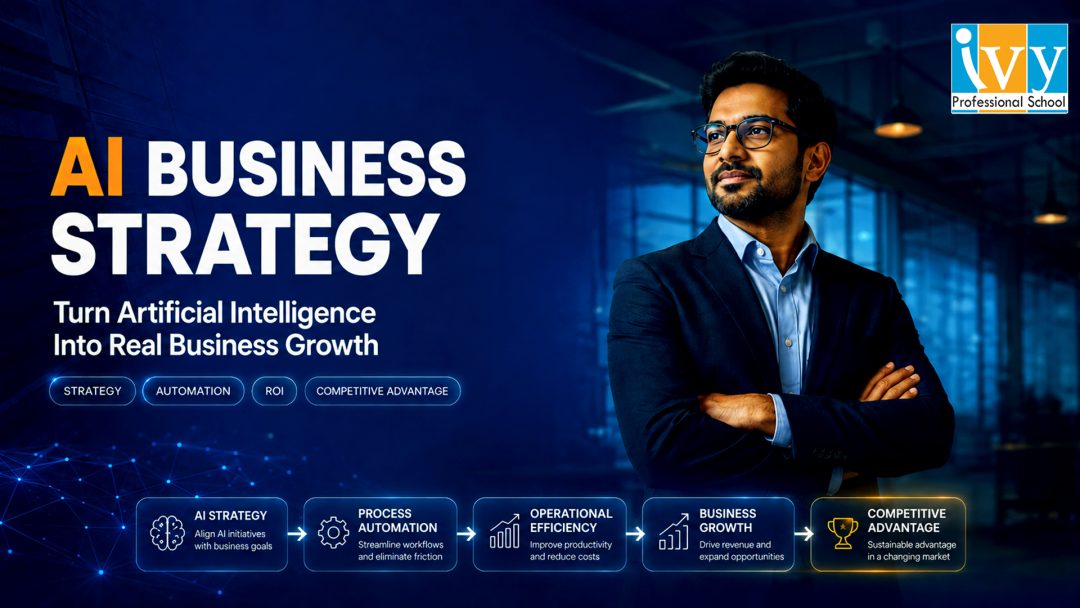
An AI business strategy is the plan that connects artificial intelligence to business outcomes. It defines where AI will increase revenue, reduce cost, improve productivity, strengthen customer experience, reduce risk, and create new capabilities. Without this strategy, AI becomes a collection of random tools. With the right AI business strategy, AI becomes a growth engine.
This blog explains what an AI business strategy is, why it matters, how to build one, which use cases to prioritize, and how leaders can move from AI experiments to measurable business results.
An AI business strategy is a structured plan for using artificial intelligence to achieve business goals. It is not just a technology roadmap. It includes business priorities, data readiness, people, processes, governance, tools, measurement, and change management.
A good AI business strategy answers practical questions:
The most important point is this: an AI business strategy should start with business value, not technology. The wrong first question is, “Which AI tool should we buy?” The better question is, “Which business outcome can AI improve in a measurable way?”
For example, a retail company may use AI to forecast demand, personalize offers, and reduce inventory waste. A manufacturing company may use AI for predictive maintenance and quality inspection. A professional services firm may use AI for research, proposal writing, knowledge management, and client delivery. In each case, the AI business strategy must connect the AI initiative with a clear business result.
AI adoption is moving faster than most organizations can manage. Employees are already using AI tools for writing, research, coding, analysis, summaries, presentations, and customer communication. This creates opportunity, but it also creates risk.
Without an AI business strategy, companies face several problems. AI usage becomes inconsistent. Data may be shared with unsafe tools. Teams duplicate efforts. Pilots do not scale. Leaders cannot measure ROI. Employees may use AI in ways that create compliance, privacy, or quality issues.
A strong AI business strategy brings structure. It helps leaders decide what to automate, what to augment, what to control, and what to avoid. It also helps companies move beyond the most common AI failure pattern: too many pilots and too little business impact.
The real value of AI does not come from simply adding a chatbot or a copilot to existing work. It comes from redesigning workflows. If a process is slow, confusing, or broken, AI may only make the broken process faster. A serious AI business strategy forces the organization to rethink how work should be done.

AI can process large amounts of data, identify patterns, summarize information, and support faster decisions. Leaders can use AI for forecasting, scenario planning, market analysis, customer insights, and operational monitoring.
However, AI should support human judgment, not replace it blindly. A mature AI business strategy defines where AI can recommend, where AI can automate, and where human approval is mandatory.
One of the biggest benefits of AI is productivity improvement. Teams can use AI to draft documents, summarize meetings, generate reports, analyze feedback, write code, create campaign ideas, and automate repetitive tasks.
But productivity gains are useful only if the saved time is redirected toward business value. A good AI business strategy asks: Will employees use saved time for more sales calls, better customer service, faster delivery, or higher-quality analysis?
AI can reduce costs by automating repetitive, high-volume, and rules-based work. Examples include invoice processing, customer query classification, report preparation, document review, internal helpdesk support, and compliance checks.
Still, cost reduction should not be the only goal. A narrow cost-cutting approach can make AI feel threatening. A stronger AI business strategy uses AI to improve both efficiency and capability.
AI can help companies respond faster, personalize communication, predict customer needs, detect dissatisfaction, and recommend the next best action. Chatbots, recommendation engines, sentiment analysis, and AI-assisted support can improve customer experience when designed properly.
The purpose is not to remove humans from every customer interaction. The purpose is to remove friction and make service faster, smarter, and more consistent.
An advanced AI business strategy can create new products and services. Companies can build AI-powered dashboards, advisory tools, intelligent assistants, personalized learning systems, automated diagnostics, or industry-specific copilots.
This is where AI shifts from efficiency tool to growth platform. The strongest companies will not only use AI internally; they will create AI-enabled value for customers.
AI adoption means people are using AI tools. AI business strategy means the organization has a deliberate plan to create measurable business value from AI.
A company can have high AI adoption and still have weak strategy. Employees may use AI every day, but if use cases are not connected to business goals, the organization may not know whether AI is improving performance.
A real AI business strategy creates alignment across leadership, business teams, IT, data, finance, HR, legal, and operations. It turns isolated experiments into a coordinated transformation program.
Start with the business goals. Do not begin with tools. Identify what the company wants to improve in the next 12 to 24 months.
Common goals include increasing sales conversion, improving customer retention, reducing operating cost, shortening turnaround time, improving forecast accuracy, reducing compliance risk, improving employee productivity, and launching new AI-enabled products.
Each goal should have a measurable target. “Use AI in customer service” is vague. “Reduce average customer response time by 40% using AI-assisted support” is clearer. The quality of an AI business strategy depends on the clarity of outcomes.
Once business goals are clear, identify AI use cases that support them. A use case should describe the business problem, AI capability, target users, expected impact, required data, and success metric.
Strong AI use cases include sales teams using AI to prioritize high-intent leads, marketing teams using AI to create campaign variations, finance teams using AI to detect unusual transactions, HR teams using AI to answer internal policy questions, operations teams using AI to predict equipment failures, and customer service teams using AI to summarize tickets.
The best use cases are often simple, repetitive, and high-volume. Do not ignore boring processes. They are usually where AI creates the fastest ROI.
Not every AI idea deserves immediate investment. A practical AI business strategy ranks use cases by value and feasibility.
Assess each use case on revenue impact, cost savings, customer impact, risk reduction, data availability, technical complexity, user adoption readiness, and governance risk.
High-value and high-feasibility use cases should become quick wins. High-value but complex use cases may need better data, integration, or controls before launch. Low-value use cases should be avoided, even if they look trendy.
AI depends on data. If the data is incomplete, outdated, biased, scattered, or poorly defined, AI outputs will be weak. Data readiness is therefore a core part of AI business strategy.
Companies should check where data is stored, who owns it, how clean it is, how often it is updated, whether definitions are consistent, and whether sensitive information is protected.
The data does not need to be perfect before starting. But leaders must know which AI use cases can work with current data and which require cleanup first.
Tool selection should come after use case prioritization. Some companies need enterprise copilots. Some need predictive analytics. Some need workflow automation. Some need custom AI agents connected to internal systems.
A good AI business strategy defines which AI tools are approved, which data can be used, which systems need integration, how outputs will be checked, where human review is required, how vendor risk will be managed, and how the solution will scale.
The architecture should support long-term scale, not just short-term experimentation. Buying disconnected tools for every department may create future complexity.
AI governance is essential for trust and scalability. It defines how AI can be used safely, ethically, and responsibly.
Governance should cover approved and restricted use cases, data privacy rules, human review requirements, model monitoring, documentation standards, vendor evaluation, accountability for AI-assisted decisions, and escalation when AI fails.
A mature AI business strategy treats governance as an accelerator. When rules are clear, teams can move faster because they know what is allowed.
AI creates value when it changes how work is done. If employees use AI but the workflow remains the same, impact will stay limited.
For each use case, map the current workflow and the future AI-enabled workflow. Identify which tasks will be automated, which will be assisted by AI, which approvals remain human, and which metrics will change.
For example, in marketing, AI may draft ad copy, generate campaign variations, analyze performance, and recommend next actions. But brand approval and budget decisions may remain human-led. This redesign turns AI business strategy into operational reality.
AI transformation depends on people. Employees need to know how to use AI tools, write effective prompts, review outputs, protect data, and apply critical thinking.
Managers also need training. They must learn how to identify AI opportunities, redesign processes, evaluate AI performance, and measure ROI.
The best companies will not treat AI training as a one-time workshop. They will build AI capability continuously across departments.
Every AI initiative should have metrics. Without measurement, AI becomes a cost center with unclear value.
Useful metrics include time saved, cost reduced, revenue generated, error reduction, conversion improvement, customer satisfaction, productivity gain, cycle time reduction, adoption rate, and compliance incidents reduced.
A strong AI business strategy connects these metrics to financial and operational outcomes. It also stops projects that do not deliver value.

Marketing teams can use AI for SEO research, content creation, customer segmentation, campaign testing, social media planning, personalization, and performance analysis. The biggest advantage is speed. AI helps marketers test more ideas in less time.
Sales teams can use AI for lead scoring, outreach personalization, call summaries, proposal drafts, CRM updates, and pipeline forecasting. A sales-focused AI business strategy should improve conversion and reduce administrative work.
AI can classify tickets, suggest responses, summarize customer history, detect sentiment, and power self-service support. The best approach combines AI speed with human empathy.
HR teams can use AI for employee query support, job description creation, learning recommendations, workforce planning, and internal knowledge management. HR use cases require careful governance because they may affect fairness, privacy, and employee trust.
Finance teams can use AI for forecasting, anomaly detection, invoice processing, cash flow analysis, expense review, and management reporting. These use cases often deliver strong ROI because they reduce manual work and improve accuracy.
Operations teams can use AI for demand planning, route optimization, predictive maintenance, quality checks, supply chain monitoring, and resource allocation. This is often where AI produces hard, measurable business value.
Many companies ask, “Which AI platform should we buy?” That is the wrong starting point. Begin with business problems, then select tools.
Pilots are useful, but too many pilots create confusion. A good AI business strategy limits experimentation to priority areas and pushes successful pilots toward scale.
Employees may fear AI, misuse AI, or ignore AI if they do not understand its role. Leaders must communicate how AI will help people work better and what support will be provided.
Poor data quality is one of the biggest reasons AI projects fail. Data ownership, definitions, integration, and governance must be addressed early.
If AI impact is not measured, leadership will lose confidence. Every AI use case should have a baseline, target, owner, and review cycle.

Small businesses do not need a complex enterprise AI program. Their AI business strategy should be simple and practical.
They can start with AI-assisted marketing content, automated customer responses, sales follow-up reminders, basic reporting dashboards, invoice and document automation, customer feedback analysis, and internal knowledge assistants.
For small businesses, the goal is quick value. Start with repetitive tasks that consume time every week. Then move toward more advanced AI use cases as the team gains confidence.
Large enterprises need a more structured AI business strategy because the risks and dependencies are bigger. Their roadmap must include governance, security, vendor management, data architecture, integration planning, operating model changes, and executive sponsorship.
Large companies should create an AI steering committee or AI center of excellence. But this team should not become a bureaucratic bottleneck. Its role should be to set standards, support departments, monitor risk, and accelerate reusable AI capabilities.
Enterprise AI success depends on scale. A pilot that works for 20 users may fail for 20,000 users if architecture, data, support, and governance are weak.
Identify the top three business priorities where AI could help. Focus on revenue, cost, customer experience, productivity, or risk.
Interview department heads and frontline teams. Ask where work is repetitive, slow, data-heavy, or decision-heavy.
Rank use cases by value, feasibility, data readiness, and risk. Select three to five use cases for the first wave.
Check what data is required, which tools are already available, and where integration or security gaps exist.
Define workflow, users, success metrics, governance rules, and timelines for each pilot.
Present the first version of the AI business strategy. Confirm ownership, budget, timelines, and measurement.
The next phase of AI will be more autonomous. Companies will move from simple chatbots to AI agents that complete multi-step tasks across systems. AI will become embedded inside CRM, ERP, HR, finance, marketing, and service platforms.
This means AI business strategy cannot be static. It should be reviewed regularly as tools, regulations, risks, and competitors evolve.
Important trends include agentic AI, AI copilots for every function, industry-specific AI platforms, stronger governance, greater focus on ROI, and human-AI collaboration.
Companies that treat AI as a one-time tool upgrade will fall behind. Companies that treat AI as a continuous business capability will build stronger competitive advantage.
AI is powerful, but it is not magic. It will not fix unclear goals, poor data, weak processes, or confused leadership. The real value of AI comes when it is connected to business strategy, workflow redesign, governance, training, and measurable outcomes.
A strong AI business strategy helps organizations move beyond random experimentation. It gives leaders a clear roadmap for choosing the right use cases, preparing data, selecting tools, training teams, managing risk, and measuring ROI.
The key is to start with business value. Do not ask only, “How do we use AI?” Ask, “Where can AI help us create measurable advantage?”
That question is the foundation of every successful AI business strategy.
AI business strategy is a structured plan for using artificial intelligence to achieve business goals such as growth, productivity, customer experience, innovation, and risk management.
AI business strategy is important because it helps companies avoid random AI experiments and focus on initiatives that create measurable business value.
To create an AI business strategy, define business goals, identify use cases, assess data readiness, select tools, build governance, redesign workflows, train employees, and measure ROI.
Examples include customer support automation, sales lead scoring, demand forecasting, predictive maintenance, marketing personalization, financial anomaly detection, HR assistants, and automated reporting.
Yes. Small businesses can build a practical AI business strategy by starting with repetitive tasks, customer communication, marketing content, reporting, and document automation.

Prateek Agrawal Jun 11, 2026 No Comments
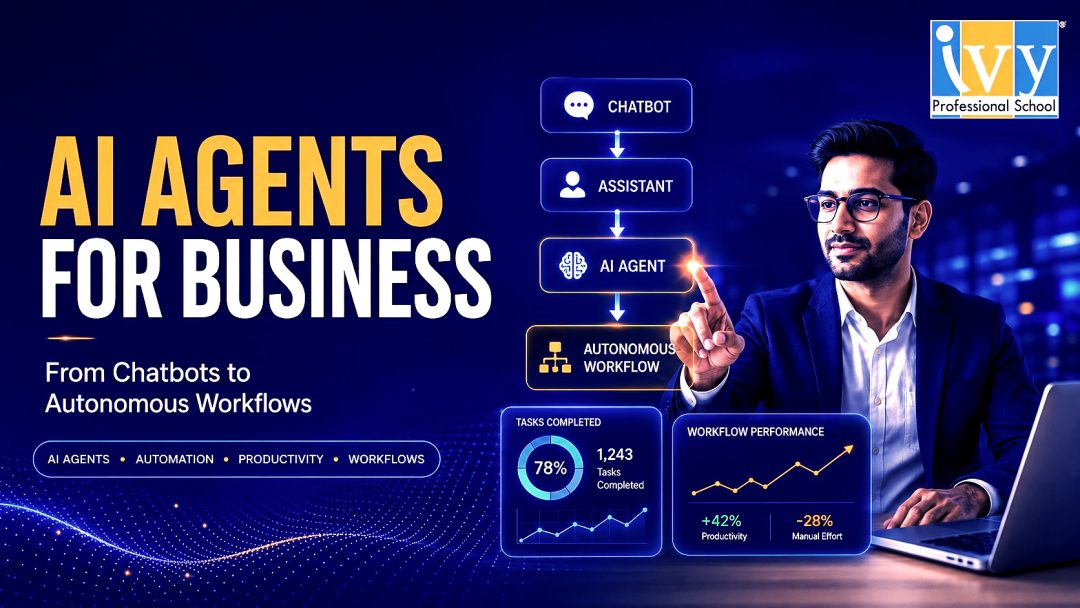
Artificial intelligence is moving from “answering questions” to “getting work done.” That shift is why ai agents for business are becoming one of the most important technology trends for modern companies. Earlier AI tools helped teams write emails, summarize documents, generate ideas, or analyze data when prompted. AI agents go further. They can understand a goal, break it into steps, use tools, interact with data, make decisions within defined limits, and complete tasks with less human effort.
For business leaders, this is not just another software upgrade. ai agents for business represent a new operating model where routine decisions, repetitive workflows, customer interactions, reporting cycles, and internal processes can be handled by intelligent digital workers. A well-designed AI agent does not merely provide information. It acts on information.
The opportunity is large, but the approach must be practical. Businesses should not deploy AI agents just because the technology is fashionable. They should identify high-friction processes, define measurable outcomes, set clear boundaries, and build agents that improve speed, accuracy, customer experience, or revenue. Used properly, ai agents for business can become a serious competitive advantage.
AI agents are software systems that can work toward a goal with a degree of autonomy. Unlike traditional automation, which usually follows fixed rules, AI agents can interpret context, plan the next action, call external tools, learn from feedback, and adapt to changing inputs.
For example, a normal chatbot may answer, “Your order is delayed.” An AI agent can check the order status, identify the delay reason, draft a customer response, create a support ticket, notify the logistics team, and update the CRM. That is the difference between conversation and execution.
This is why ai agents for business are different from basic chatbots or simple automation scripts. They can combine language understanding, reasoning, workflow automation, data access, and tool usage. Depending on how they are designed, they may work independently, assist employees, or collaborate with other agents.
A useful way to understand AI agents is through five capabilities: goal understanding, planning, tool usage, memory, and action. When these capabilities are applied to real workflows, ai agents for business can automate work that previously required human attention at every step.

The main reason businesses are adopting AI agents is simple: traditional automation is too rigid for modern work. Many business processes are semi-structured. They follow a pattern, but not perfectly. A sales lead may need qualification, but the criteria vary. A customer complaint may need routing, but the urgency depends on language, history, and context. A finance report may follow a template, but anomalies require explanation.
Rule-based automation struggles with this kind of work. Humans handle it because they can interpret messy information. AI agents now make it possible to automate parts of these judgment-heavy processes.
There are four strong drivers behind the rise of ai agents for business. First, companies need productivity without constantly adding headcount. Second, customers expect faster response times. Third, business data is scattered across emails, spreadsheets, CRMs, documents, dashboards, and chat platforms. Fourth, leaders want better decision-making, not just more dashboards.
The benefits of ai agents for business are strongest when they are connected to measurable business outcomes. The goal is not to “use AI.” The goal is to improve how work gets done.
AI agents can handle repetitive and time-consuming tasks such as data entry, email drafting, meeting summaries, follow-ups, ticket classification, report generation, invoice matching, and lead research. This frees employees to focus on judgment, relationships, strategy, and creativity.
In customer support, speed directly affects satisfaction. ai agents for business can classify queries, retrieve customer history, suggest solutions, create tickets, escalate urgent cases, and send personalized responses. This reduces waiting time and improves service consistency.
AI agents can monitor business data and alert teams when something requires attention. For example, an inventory agent can detect low stock, identify fast-moving products, forecast reorder requirements, and notify procurement. A finance agent can detect unusual expenses, compare budget variance, and prepare a management summary.
This is where ai agents for business become more valuable than dashboards. Dashboards show what happened. Agents can interpret what happened and recommend what to do next.
Customers increasingly expect personalization. AI agents can analyze customer preferences, purchase history, behavior, and support interactions to deliver more relevant communication. A marketing agent can segment audiences, personalize campaigns, and recommend offers.
When implemented well, ai agents for business can make digital interactions faster, more relevant, and more consistent.
Once a workflow is designed and tested, an agent can handle rising volume without the same linear increase in staffing. This is useful for businesses dealing with seasonal demand, campaign spikes, large customer bases, or rapid expansion.
However, scale should not mean uncontrolled autonomy. The best ai agents for business operate within clear governance, approval workflows, and audit trails.

The most successful AI agent deployments usually start with narrow, high-value use cases. Instead of trying to automate an entire department, businesses should begin with a specific workflow where time, cost, or delay is visible.
Sales teams can use AI agents to research prospects, score leads, draft personalized outreach, summarize calls, update CRM records, schedule follow-ups, and recommend next steps. A sales agent can review a prospect’s website, industry, company size, and previous interactions, then create a customized pitch.
For B2B companies, ai agents for business can improve lead qualification by checking whether a prospect matches the ideal customer profile. This helps teams avoid wasting time on low-intent leads.
Marketing teams can use AI agents for campaign planning, SEO research, content briefs, social media calendars, ad copy variations, customer segmentation, email personalization, and performance analysis. A marketing agent can identify which campaigns are underperforming, suggest changes, and prepare a weekly report.
Support agents can classify tickets, detect urgency, answer common questions, generate response drafts, escalate complex cases, and identify repeated complaints. In many businesses, support teams face the same questions repeatedly. AI agents can reduce this burden while still routing sensitive or complex cases to humans.
The best support use cases for ai agents for business include refund queries, order tracking, onboarding questions, troubleshooting, appointment rescheduling, and service status updates.
HR teams can use AI agents for resume screening, interview scheduling, onboarding checklists, employee query handling, policy explanations, training reminders, and performance review preparation. Finance teams can use AI agents for invoice processing, expense review, budget variance explanation, cash flow summaries, payment reminders, and compliance documentation.
These are practical areas for ai agents for business because HR and finance work often combines structured data with document-heavy processes.
Operations teams can use AI agents for inventory monitoring, vendor follow-ups, workflow coordination, quality checks, demand forecasting, and exception handling. For example, an operations agent can detect that a delivery is delayed, notify the customer service team, update the customer, and alert the logistics manager.
In manufacturing, logistics, education, healthcare, and retail, ai agents for business can reduce manual coordination and improve visibility.
Many people confuse AI agents with chatbots. The difference is important.
A chatbot mainly responds to user queries. It may answer questions, provide information, or guide users through a scripted flow. Traditional automation performs predefined tasks when specific conditions are met. An AI agent can combine understanding, reasoning, planning, and action.
For example:
A chatbot says: “You can find the invoice in your account.”
An automation says: “When invoice status is overdue, send reminder.”
An AI agent says: “This invoice is overdue, the client has a history of delayed payment, the amount is high, and the relationship manager should be notified before sending a strict reminder.”
This is why ai agents for business are more powerful than simple automation. They are better suited for workflows that require context and judgment.

The biggest mistake companies make is starting with technology instead of process. The right question is not “Which AI agent tool should we buy?” The right question is “Which business process is slow, repetitive, costly, or inconsistent?”
Look for workflows where employees repeatedly copy data, write similar messages, check multiple systems, create recurring reports, or make predictable decisions. Good starting points include lead qualification, support ticket handling, invoice review, employee onboarding, campaign reporting, and customer follow-ups.
The best first use case for ai agents for business should be specific, measurable, and low-risk.
Every agent should have a clear metric. Examples include reducing support response time, improving lead follow-up speed, reducing manual reporting hours, improving invoice processing accuracy, or increasing campaign output.
Without metrics, ai agents for business become experiments with no business accountability.
Document the current process. What triggers the task? What information is needed? Which systems are involved? What decisions are made? Where does human approval matter? What can go wrong? This workflow map becomes the blueprint for the AI agent.
Not every agent should act independently. Some agents should only recommend actions. Others can draft outputs but require approval. Some can execute low-risk tasks automatically.
Most companies should start with recommendation, drafting, or approval-based execution. This makes ai agents for business safer and easier to adopt.
AI agents become useful when they can access relevant data and systems. This may include CRM, ERP, helpdesk, email, calendar, spreadsheets, knowledge bases, analytics tools, and document repositories.
Poor data quality will limit results. Before deploying ai agents for business, companies should clean key datasets, standardize naming, improve documentation, and define access permissions.
Governance is not optional. AI agents need boundaries. Businesses should define what data the agent can access, what actions it can take, when approval is required, how outputs are reviewed, and how errors are logged.
For sensitive functions such as finance, HR, legal, healthcare, or customer complaints, ai agents for business must include human oversight.
Start with a pilot. Track performance, errors, adoption, time saved, user satisfaction, and business impact. Improve prompts, workflows, permissions, and escalation rules. Then scale to more processes.
The best approach is not a one-time AI project. It is continuous workflow improvement using AI agents.
The first mistake is automating a broken process. If a workflow is unclear, inconsistent, or politically messy, an AI agent will not magically fix it. Clean the process first.
The second mistake is giving too much autonomy too soon. Businesses should not allow agents to send sensitive emails, approve payments, change records, or make customer commitments without proper controls.
The third mistake is ignoring employees. If teams feel AI agents are being forced on them, adoption will suffer. Employees should be involved in designing workflows because they understand the real exceptions.
The fourth mistake is measuring only cost savings. ai agents for business can also improve speed, quality, customer experience, employee satisfaction, and decision-making.
AI agents create serious value, but they also create risk. Businesses must manage these risks from the beginning.
Data privacy is a major concern. Agents may access customer records, employee information, financial data, or confidential documents. Access should be role-based and limited.
Accuracy is another challenge. AI agents can misunderstand context, make wrong assumptions, or produce incorrect outputs. High-impact decisions need human review.
Security is also important. If agents can take actions in business systems, they need strong identity management, audit logs, and permission controls.
Brand risk matters too. A poorly governed customer-facing agent can send incorrect, insensitive, or legally risky communication.
The conclusion is clear: ai agents for business should be treated as digital team members, not casual tools. They need job descriptions, permissions, performance metrics, supervision, and improvement cycles.
The future of ai agents for business will not be limited to isolated assistants. Companies will move toward agentic workflows, where multiple agents coordinate across departments.
In the next phase, competitive advantage will come from how well a company designs its AI operating system. The winners will not be the companies with the most AI tools. The winners will be the companies that redesign processes around intelligent execution.
Small and mid-sized businesses do not need massive AI budgets to benefit. They should start with practical workflows.
For SMBs, the right way to adopt ai agents for business is to start with one painful process, build a controlled workflow, measure impact, and then expand.
No. Small and mid-sized companies can also use AI agents, especially for lead management, customer support, reporting, recruitment, finance operations, and internal knowledge management. The key is to start with a narrow workflow instead of trying to automate the entire business.
AI agents should not be viewed only as employee replacements. In most practical cases, they work as productivity multipliers. They handle repetitive steps, prepare drafts, retrieve information, and recommend actions. Humans still provide judgment, relationship management, creativity, and final accountability.
The best first use case is a repetitive workflow with clear inputs, clear outputs, measurable time savings, and low business risk. For many companies, this could be customer query handling, sales follow-up, invoice checking, report generation, or employee onboarding.
ai agents for business are not just another AI trend. They are a practical way to redesign how work happens. They can reduce manual effort, improve response time, support decision-making, personalize customer experience, and scale operations. But they must be implemented with discipline.
The best results come when companies treat AI agents as part of business process transformation. Start with a clear workflow. Define the outcome. Set boundaries. Keep humans in the loop where needed. Measure impact. Improve continuously.
Businesses that use AI only for content generation will get limited benefits. Businesses that use AI agents to execute workflows will create deeper operational advantage.
The central question for leaders is no longer “Should we use AI?” The better question is: “Which business workflows should become intelligent, automated, and agent-driven first?”
That is where ai agents for business become powerful. Not as a replacement for human intelligence, but as a force multiplier for teams that want to work faster, serve better, and scale smarter.
Prateek Agrawal Jun 06, 2026 No Comments
Running a small business has never been easy. But in 2026, the playing field has fundamentally changed. The best AI tools for small business owners are no longer expensive enterprise software that requires a dedicated IT team to implement. They are accessible, affordable, and in many cases free — and they are quietly helping lean, resource-constrained teams do the work of companies ten times their size.
The numbers tell the story. AI adoption among small businesses surged 41% in 2025, with current usage jumping from 39% in 2024 to 55% — and a staggering 96% of small business owners plan to adopt emerging technologies including AI in the near future. The average small business now uses a median of five AI tools, combining assistants, marketing platforms, and automation tools.
The question is no longer whether to use AI. The question is: which tools are actually worth your time? This guide cuts through the noise and gives you a practical, category-by-category breakdown of the best AI tools for small business owners in 2026 — covering everything from content creation and customer support to operations, finance, and sales automation.
Before we get into the tools themselves, it’s worth understanding what’s actually at stake.
Artificial intelligence serves as a force multiplier for small teams. It handles repetitive tasks, analyses complex data, and creates personalised customer experiences at scale. Business leaders who integrate these intelligent solutions find themselves with more time to focus on strategy and relationship building.
That last part is what matters most for small business owners. You didn’t start your business to spend your evenings writing social media captions, following up on unpaid invoices, or manually entering data into spreadsheets. You started it to build something. As a small business owner in 2026, you’re wearing too many hats. Between managing operations, handling customer service, and trying to grow your business, there simply aren’t enough hours in the day.
The best AI tools for small business owners don’t replace you. They free you.
Key insights on AI adoption include rapid growth, with 89% of small businesses using AI for automation, and significant benefits including 29–72% productivity boosts and 20% revenue increases, with 85% anticipating returns.
Those are not small gains. A 20% revenue increase and up to 72% productivity boost — from tools that most small businesses can access for free or at minimal cost — is the kind of ROI that should make every business owner sit up and pay attention.

Before listing the best AI tools for small business owners, here’s a practical framework for evaluation. The most common mistakes small business owners make include trying to use everything at once — tool overload is real — and not customising default settings, since most AI tools give generic outputs until you tell them about your business.
Start with two or three tools in your highest-pain area. Get real, measurable results. Then expand. That’s the approach that separates businesses seeing compounding AI gains from those drowning in subscriptions they never fully use.
Also, choose tools that work together. The goal of AI is to make your work easier, not to create new silos where information gets lost. Pick tools that can integrate.
With that foundation in place, here is the definitive list of the best AI tools for small business owners in 2026, organised by business function.
Marketing is where most small business owners feel the pinch most acutely. Keeping up with social media, writing blog posts, creating ad copy, designing graphics — each of these alone could be a full-time job.
Best for: Content creation, ideation, email drafting, customer communication
ChatGPT remains the most widely used AI tool among small business owners for good reason. It writes, edits, brainstorms, summarises, and responds in natural language across virtually any task. For small businesses, the most valuable use cases are writing product descriptions, drafting email sequences, generating social media content calendars, and answering customer queries at scale.
Best for: Long-form writing, document analysis, nuanced customer communication
Claude excels at tasks requiring depth, nuance, and long-context understanding. For small business owners dealing with complex documents, lengthy email threads, or detailed content requirements, Claude is often the better choice. Claude shines for its long-form writing and legal analysis capabilities, as well as its ability to carry out enterprise-grade tasks.
Best for: Visual content, social media graphics, presentations, brand assets
Canva’s AI suite has transformed what small teams can produce visually. Canva’s AI suite boosts creativity — generate copy, layouts, edits, animations, and branding assets in minutes. For entrepreneurs who aren’t designers, this is one of the most immediately impactful best AI tools for small business owners on the list.
Best for: Marketing copywriting, SEO content, brand-consistent writing
Jasper has established itself as the go-to AI writing assistant for small businesses looking to scale their content creation. From blog posts and social media updates to email campaigns and product descriptions, Jasper can generate high-quality, brand-aligned content in minutes.
Customer support is one of the most resource-intensive functions for small businesses. Hiring support staff is expensive. Letting queries go unanswered is worse. AI tools bridge this gap effectively.
Best for: Ticket routing, automated responses, customer service at scale
Zendesk AI uses machine learning to assist with customer service operations such as ticket routing, suggesting help articles, and real-time agent response recommendations. For small businesses dealing with significant customer query volume, this is one of the best AI tools for small business owners looking to maintain quality support without a large team.
Best for: Customer-facing businesses, product queries, order tracking, support
For Indian small business owners specifically, WhatsApp AI agents represent one of the highest-ROI implementations available. A custom AI agent trained on your product catalogue, pricing, and FAQs can handle the majority of customer queries automatically — 24 hours a day, seven days a week — at a fraction of the cost of a support team.
Unlike AI calling, which still faces adoption resistance from customers, WhatsApp messaging automation has consistently delivered strong results across retail, manufacturing, fashion, and service businesses. Customers get instant, accurate answers. Business owners get their evenings back.
Operations is where the compounding gains of AI are most significant. The businesses seeing the highest AI ROI are not using AI for one thing — they’re automating the entire lead-to-customer journey: lead capture, qualification, follow-up, booking, and review collection. This is the “compound automation” effect: each automated step makes the next step more efficient.
Best for: Connecting apps, automating workflows, eliminating manual data transfer
Zapier remains the backbone of small business automation. Its AI layer adds intelligence to what were previously rigid if-this-then-that workflows — allowing conditional logic, natural language triggers, and smarter routing between the apps your business already uses.
Common use cases: automatically routing new leads from a contact form to your CRM, triggering follow-up emails when a payment is received, syncing inventory data between platforms without manual export.
Best for: Documentation, SOPs, knowledge management, team collaboration
For small businesses trying to systemise their operations, Notion AI is one of the best AI tools for small business owners at this stage. It helps write SOPs, summarise meeting notes, generate project templates, and answer questions from your internal knowledge base — making it easier for teams to stay aligned and for new hires to get up to speed quickly.
Best for: Advanced workflow automation, multi-step processes, API connections
Where Zapier handles simpler automations, Make handles complex, multi-step workflows with conditional logic, data transformation, and connections to virtually any platform. For businesses with more sophisticated operational needs — automated invoice processing, multi-channel order management, supplier communication workflows — Make is the more powerful choice.
Financial management is a chronic pain point for small business owners. Month-end closing, invoice chasing, P&L generation — these tasks eat time that should be going toward growth.
Best for: Meeting summaries, action items, follow-up automation
Fathom offers a robust free version that automatically records, transcribes, and summarises meetings — generating action items and follow-up tasks without any manual note-taking. For business owners who spend significant time in client calls and internal meetings, this alone saves hours every week.
Best for: P&L automation, trial balance processing, financial reporting
One of the most powerful but underutilised applications among the best AI tools for small business owners is custom AI financial agents. A well-built agent can take a trial balance as input and output a complete set of financial statements — income statement, balance sheet, cash flow, and ratio analysis with plain-language commentary — in 15 to 30 minutes.
What previously took an accounting team four to five days of month-end work now runs in under half an hour. For businesses doing this manually, the ROI of building this once is effectively permanent.
Best for: CRM insights, sales predictions, anomaly detection
Zoho Zia provides small business CRM insights including sales predictions, deal prioritisation, and automatic anomaly detection in your business data. For businesses already using the Zoho ecosystem, Zia adds a meaningful intelligence layer at no additional cost.
Best for: Business research, competitor analysis, market intelligence
Perplexity is a search engine powered by AI that gives cited, sourced answers instead of a list of links to click through. It’s built for research — finding competitor pricing, industry trends, regulatory updates, supplier comparisons. The “Spaces” feature lets you create a persistent research workspace for a specific topic — like monitoring a competitor or tracking an industry.
For small business owners who need to stay on top of market trends without spending hours reading through search results, Perplexity is one of the most time-efficient best AI tools for small business owners available today.
Best for: Meeting transcription, searchable meeting records, action item extraction
Otter.ai handles transcribing meetings automatically — giving you a searchable, shareable record of every conversation without lifting a pen. For client-facing businesses where accurate record-keeping matters, this is invaluable.
Best for: Business writing, email polish, tone adjustment
GrammarlyGO handles editing and checking grammar but goes far beyond spell-checking — it rewrites sentences for clarity, adjusts tone for different audiences, and generates drafts from bullet points. For business owners writing proposals, client emails, or marketing copy, this raises the quality of every written communication without hiring a copywriter.

Rather than overwhelming you with subscriptions, here’s the lean, high-impact stack that covers the core needs of most small businesses:
| Function | Tool | Monthly Cost |
| Content & Writing | ChatGPT or Claude | Free / $20 |
| Visual Design | Canva AI | Free / $13 |
| Workflow Automation | Zapier or Make | Free / $10–20 |
| Customer Support | WhatsApp AI Agent | Low / Custom |
| Research | Perplexity AI | Free |
| Meetings | Fathom | Free |
| Writing Polish | GrammarlyGO | Free / $12 |
Total monthly cost for the core stack: ₹0 to ~₹5,000 — depending on which paid tiers you need. This is a fraction of what a single part-time hire would cost, with productivity gains that far exceed what one additional employee could deliver.
Here’s the uncomfortable truth about the best AI tools for small business owners: most businesses that adopt them don’t use them well.
Approximately 68% of small businesses now use AI in some capacity. Most of these businesses are using ChatGPT or a similar tool for ad hoc tasks — drafting an email, brainstorming marketing copy, summarising a document. Very few have a strategy. Even fewer have a policy.
Knowing which tools exist is step one. Actually implementing them as consistent, automated processes inside your specific business is where most people stop — and where all the real value is created.
A phased roadmap beats big-bang adoption: the most successful small businesses start with one high-impact department, measure results for 90 days, then expand — rather than rolling out AI across the organisation simultaneously.
This is exactly the philosophy behind structured AI implementation programmes for entrepreneurs: pick the highest-pain use case, build a working solution, prove the ROI, then scale.

Small businesses that implement AI systems now will be significantly harder to compete with by 2027. AI creates compounding advantages: more data, better-trained systems, and stronger customer relationships over time. The best time to start is now — the second-best time is still soon.
The best AI tools for small business owners are only as valuable as the strategy behind them. A tool without implementation is just another subscription. A tool embedded into your daily operations — running automatically, saving hours, reducing costs — is a competitive moat.
The businesses pulling ahead right now are not necessarily the biggest or the best-funded. They are the ones who took the time to understand which best AI tools for small business owners fit their specific context, implemented them systematically, and are now operating at a level of efficiency their competitors cannot match without making the same investment.
Knowing the best AI tools for small business owners is one thing. Building the skills to implement them, customise them, and create automated workflows inside your business is another — and it’s where the real transformation happens.
We have built two programmes specifically for entrepreneurs and business owners at this stage:
Explore our courses →
Q: What are the best free AI tools for small business owners? The best free options include ChatGPT (content and writing), Canva AI (design and visuals), Fathom (meeting summaries), Perplexity AI (research), and the free tiers of Zapier (workflow automation) and GrammarlyGO (writing polish). Together these cover the core needs of most small businesses at zero cost.
Q: How many AI tools should a small business use? Start with two to three tools focused on your highest-pain area. The average small business uses five AI tools, but tool overload is a real risk. Get measurable results from a small stack before expanding.
Q: Do I need technical skills to use AI tools for my business? No. Most modern AI tools are designed for non-technical users. They feature intuitive interfaces and often use natural language processing. The most important skill is knowing your business well enough to identify where AI can add value.
Q: Which business function should I automate with AI first? Start with whatever is consuming the most time right now. For most small business owners, that’s either marketing content creation or a specific operational bottleneck like invoice processing, follow-up emails, or customer queries.
Q: Are AI tools for small business owners actually affordable? Yes. The core stack covering content, design, automation, research, and productivity can be assembled for under ₹5,000 per month — often significantly less using free tiers. The ROI in time saved and productivity gained typically far exceeds this cost within the first month.
Q: How do I know which AI tools are right for my specific business? The best approach is to map your business functions, identify the top three time drains, and find tools that directly address those. If you want structured guidance on doing this with support from AI experts, our AI for Entrepreneurs Course walks through this process with real implementation support.
Prateek Agrawal Jun 03, 2026 No Comments

There’s a moment every entrepreneur recognises. You’re sitting at your desk at 10 PM, still working through a task that should have taken an hour but has somehow eaten your entire evening. Maybe it’s chasing invoices. Maybe it’s writing product descriptions for 200 SKUs. Maybe it’s following up with leads who haven’t responded in a week. You’re doing the work but you’re not building the business.
This is the gap that AI for entrepreneurs was made to close. And in 2025, AI for entrepreneurs is no longer a future concept. It is a present-day competitive advantage.
Not the AI of science fiction. Not the AI of enterprise IT departments with million-dollar budgets and six-month implementation timelines. The AI that’s available right now, on a laptop, to any business owner willing to invest a few weeks learning how to use it properly.
The numbers back this up. According to SBE Council’s 2026 Small Business Tech Use Survey, 82% of small business employers have already invested in AI tools, and they are rapidly being embedded across daily functions and workflows. The entrepreneurs who are pulling ahead aren’t necessarily the ones with the biggest teams or the deepest pockets. They’re the ones who figured out how to make AI work inside their specific business and started doing it early.
This blog is about exactly that.
Before we talk about what’s possible, let’s talk about what’s common.
Almost every entrepreneur has tried ChatGPT, Claude, or Gemini at some point. They’ve asked it a few questions, maybe drafted an email, and thought okay, that’s useful but not exactly life-changing. And then they went back to doing everything the way they always had.
The problem isn’t the technology. The problem is that most people never go beyond the chat interface.
Using AI only for chat is like buying a Swiss Army knife and only ever using it to open letters. The real power, the part that actually transforms how a business operates comes when you move from prompting to implementing. When you stop asking AI questions and start building consistent, automated processes with it across your marketing, operations, accounts, and sales.
AI business automation uses artificial intelligence to complete tasks and make decisions with little input learning from data patterns and adapting to new situations, making it valuable for businesses seeking to scale without increasing headcount. That last part is especially important for entrepreneurs: scale without headcount. More output, same team.
The entrepreneurs who are seeing real ROI from AI aren’t just using it as a smarter Google. They’re building systems. And that shift from user to builder is where everything changes. That is the true promise of AI for entrepreneurs: not a smarter chatbot, but a smarter business.
Let’s get specific, because vague promises about “AI transforming your business” are not useful to anyone.
Here are real examples of what AI for entrepreneurs looks like in practice:
Monthly Accounts in 15 Minutes. A business owner who used to spend four to five days every month closing accounts and generating P&L statements automated the entire process using an AI financial agent. What once required days of back-and-forth between spreadsheets and accountants now runs in 15 to 30 minutes, with the AI generating income statements, balance sheets, cash flow summaries, and ratio commentary from a trial balance input.
₹2.5 Lakh Saved Per Season on Photography. A kids’ wear brand that previously paid ₹1,000–₹1,200 per product shoot in Mumbai — sending physical products to a studio and waiting days for results — now uses AI-generated product photography. The quality is comparable. The cost is effectively zero. Across two seasons a year, that’s over ₹2.5 lakh in direct savings, not counting the time and logistics saved.
40 Hours of Work Completed in Under 4 Hours A co-founder at a growing company described how a task that used to take an entire work week — research, analysis, compilation — now gets done in a few hours using generative AI. In some cases, the same task now takes 15 to 20 minutes.
Invoice Verification on Autopilot A business receiving daily supplier invoices over email built an AI agent that automatically extracts invoice data at 6:30 PM every evening, cross-references prices against a master Google Sheet, and flags any discrepancies — without any human involvement in the process.
These are not edge cases. These are outcomes that business owners across manufacturing, fashion, retail, exports, and finance have implemented in weeks — often in the first month of learning.

AI for entrepreneurs is not one thing. It’s a set of capabilities that cut across every major business function. Here’s where the impact is largest:
Marketing is the #1 use case for AI among small businesses, with owners reporting improved customer reach, engagement, and revenue generation.
For entrepreneurs, this is where AI delivers the most immediate visible wins. With the right tools and process, a solo founder or small team can produce:
One carpet exporter created a fully AI-generated video invitation for an international trade exhibition in Shanghai — complete with his likeness, voice, product imagery, and event details — using only a photograph as the starting point. The entire video was produced without a production team, studio visit, or significant budget.
This is what modern AI for entrepreneurs looks like in marketing: founder-driven, brand-consistent, and almost entirely automated once the system is set up.
Operations is where most entrepreneurs spend the majority of their time — and where AI delivers the most transformative ROI.
The goal is straightforward: build systems where AI monitors, tracks, and reports on your business so that you spend five minutes reviewing rather than five hours managing.
AI can safely automate up to three hours of business processes per day — freeing time from routine work and letting business owners focus on creative work and innovation.
Practical operational use cases include:
For a fashion entrepreneur needing to track European and Asian market trends, this meant building an agent that delivers a curated weekly briefing every Monday morning — replacing hours of manual research with a five-minute read.
Sales follow-up is one of the highest-value, most neglected functions in small businesses. Leads go cold not because the product isn’t right but because nobody followed up at the right time with the right message.
AI changes this completely. With the right setup:
Sales teams use AI to qualify leads and schedule follow-up calls, while AI automations assist in screening and shortlisting — all with minimal human oversight. For entrepreneurs without dedicated sales teams, this levels the playing field significantly.
One important note on AI calling vs. messaging: the evidence strongly favours WhatsApp and email automation over AI voice calling. Customers respond better to contextual, well-timed messages than to automated calls. The conversion rates are higher, the costs are lower, and the friction is significantly reduced.
Financial reporting is traditionally one of the most time-consuming and error-prone functions in any small business. Month-end closing, P&L generation, variance analysis — these tasks consume days of the accounting team’s time and often delay critical business decisions.
AI agents can now handle the full chain: from ingesting raw trial balance data to generating formatted income statements, balance sheets, cash flow statements, and ratio analysis with plain-language commentary explaining what the numbers mean.
For business owners who want to go further, AI-powered dashboards can replace static PowerBI reports with live, conversational interfaces. Instead of reading charts, you ask the dashboard a question — “What was our gross margin last month compared to the same period last year?” — and get an immediate, accurate answer.
Add a scheduled alert system on top of that, and your financial operations can notify you automatically when key metrics cross thresholds — before problems become crises.
This is the area that surprises most entrepreneurs the most — and where the long-term competitive advantage lies.
Small and medium-sized businesses are now able to enjoy AI capabilities that were, until recently, the preserve of large enterprises, due to the emergence of generative AI.
With the right guidance, entrepreneurs without any coding background are building:
A designer bag exporter built a product visualisation app in under two days that lets customers see how a bag looks in their living room, change handle colours, and swap patterns — all on an iPad at a trade exhibition. His competitor had built something similar. He matched it in 48 hours.

Learning about AI is not the same as implementing it. The entrepreneurs who get real results treat the first 90 days as a structured implementation sprint, not a training programme.
The framework looks like this:
Days 1–30: Quick Wins Identify two or three high-frequency, time-consuming tasks in your business. Build AI solutions for them. The goal is early ROI — something you can point to within the first month that makes the investment feel immediately worthwhile. Most entrepreneurs find their first meaningful win within the first two weeks.
Days 31–60: Build and Automate Take the systems that worked and make them robust. Add AI agents, automate triggers, connect tools. This is where one-off solutions become repeatable processes.
Days 61–90: Scale and Measure Measure the time saved, the cost reduced, and the output increased. Identify the next set of use cases. Build toward a business where AI is running the routine so you can focus on the strategic.
The key principle throughout: implementation over learning. The goal is not to understand AI theoretically. The goal is to have a use case running in your business by the end of week two.

One of the most common misconceptions is that AI for entrepreneurs is only relevant for tech companies or digitally native brands. The evidence says otherwise.
Entrepreneurs who have successfully implemented AI in their businesses in recent cohorts include kids’ wear manufacturers, carpet exporters, home furnishing brands, real estate treasury managers, packaging companies, construction firms, investment advisors, healthcare clinic owners, and senior government officials.
The common thread is not industry or technical background. It is the willingness to invest time in learning the system, identify the right use cases, and commit to implementation with support.
AI has become essential to competitiveness and growth, with small business owners signalling they will continue to invest in tools over the next twelve months. The question is no longer whether to adopt AI. It is how quickly you can build the skills to implement it effectively.
The gap between entrepreneurs who use AI casually and those who build with it is widening every month. The ones who figure it out now will have a structural advantage that compounds over time — in costs saved, hours reclaimed, and competitive capability built.
We’ve designed two programmes specifically for this moment:
The next batch starts soon. Explore the courses →
Q: Do I need a technical background to use AI in my business? Not at all. The majority of AI tools available today are designed for non-technical users. The most important skill is not coding — it is knowing your business well enough to identify where AI can save time or create value. Support teams can handle the technical implementation side.
Q: How quickly can I see results? Most entrepreneurs implementing AI with structured support see their first meaningful result — a working automation, a time-saving tool, a cost reduction — within the first two weeks. Significant operational transformation typically takes 60 to 90 days.
Q: Which business functions should I automate first? Start with whatever is consuming the most time or creating the most bottlenecks right now. For most entrepreneurs, that’s either operations (task management, invoicing, reporting) or marketing (content creation, product photography, social media). Both areas have well-established AI solutions with fast implementation timelines.
Q: Is AI for entrepreneurs only relevant for digital or tech businesses? No. Some of the most compelling results have come from traditional businesses — manufacturing, fashion, exports, construction, and retail. If your business has repetitive processes, data, customer interactions, or content needs, AI can make a meaningful difference.
Q: What’s the difference between using ChatGPT and actually implementing AI in my business? Using ChatGPT for occasional tasks is the equivalent of using a calculator for basic arithmetic. Implementing AI in your business means building systems — agents, automations, and workflows — that run consistently without your involvement. The gap between the two is significant, and crossing it requires structured learning and implementation support.
Q: What’s the best first step for AI for entrepreneurs who are just getting started? The best first step for any AI for entrepreneurs journey is identifying one specific, time-consuming task in your business and solving just that. Don’t try to automate everything at once. Pick one problem, build one solution, and let that early win build your confidence and momentum for what comes next. You don’t need to track every development. You need to build a foundation of understanding that lets you evaluate new tools quickly and a community of peers and experts who can alert you to what actually matters. That combination — practical knowledge plus the right network — is what makes AI adoption sustainable rather than overwhelming.