Prateek Agrawal May 30, 2026 No Comments
If you are a fresh graduate wondering where to begin, enrolling in a data science course for freshers 2026 could be the single most impactful career decision you make this year. India’s data economy is expanding at an extraordinary pace, and employers across Bangalore, Hyderabad, Pune, and Mumbai are actively hunting for entry-level talent who can work with data confidently. The right data science course for freshers 2026 will equip you with Python, machine learning, SQL, and cloud skills that today’s recruiters actually demand. This guide walks you through everything you need to know: what to learn, where to learn it, how much you can earn, and what the job market truly looks like this year.
The Indian data analytics market was valued at over ₹84,000 crore in 2024 and is projected to cross ₹2,00,000 crore by 2028. Behind those numbers are millions of job roles, data analysts, machine learning engineers, business intelligence developers, data engineers, and AI specialists, many of which remain unfilled because the supply of trained professionals simply cannot keep up with demand. This is precisely why a data science course for freshers 2026 has become one of the most searched career-launch decisions among Indian graduates today.
What changed between 2022 and 2026? Three significant things:
Generative AI has become mainstream. Every company, from a Tier-2 SaaS startup to a large public-sector bank, now needs professionals who understand both traditional data pipelines and large language model (LLM) integrations. Any data science course for freshers in 2026 that does not cover generative AI fundamentals is already outdated. Entry-level candidates who know how to work alongside AI tools are considered far more hireable than those who do not.
The cloud-first economy has deepened. AWS, Google Cloud, and Microsoft Azure are now foundational infrastructure for most Indian businesses. A data science course for freshers 2026 should include at least a module on cloud-based data storage, processing, and model deployment to remain industry-relevant.
Tier-2 cities have opened up. Remote and hybrid work has democratised opportunity. Companies are now hiring data professionals from Jaipur, Coimbatore, Nagpur, and Bhopal, not just the traditional tech metros. This means a fresher anywhere in India can access the same quality of roles as someone sitting in Bengaluru, provided their skills are sharp.

A well-structured data science course for freshers 2026 is not the same as it was even three years ago. The curriculum has evolved significantly to reflect new tools, new employer expectations, and new technologies. Here is what a modern, industry-aligned programme should include:
Python remains the dominant language in data science, and for good reason it is versatile, readable, and supported by an enormous ecosystem of libraries. A good data science course for freshers 2026 will start you with Python basics, data types, loops, functions, file handling, before moving into data-specific libraries:
SQL is equally non-negotiable. Almost every real-world data role requires writing queries to extract and transform data from relational databases. Look for a data science course for freshers 2026 that spends at least 20–30 dedicated hours on SQL, covering joins, subqueries, window functions, and query optimisation.
One of the biggest mistakes freshers make is skipping the mathematical foundations in favour of jumping straight to model-building. Statistics forms the backbone of every machine learning technique, and the best data science course for freshers 2026 will make sure you understand it deeply. A solid programme covers:
You do not need to be a mathematician, but you do need enough statistical intuition to interpret results correctly and avoid common modelling pitfalls.
This is the core of most programmes. A complete data science course for freshers 2026 should cover both supervised and unsupervised learning:
In 2026, a competitive data science course for freshers will also introduce deep learning fundamentals — neural networks, CNNs, and RNNs — along with an introduction to transformer architectures, which underpin most modern AI systems.
Raw data is almost always messy. A significant portion of a practising data scientist’s time goes into cleaning, transforming, and understanding data before any model is built. The best data science course for freshers 2026 simulates this reality with messy, real-world datasets rather than polished toy examples, so you are prepared for what actual work looks like.
Being able to build a model is only half the job. Communicating findings to non-technical stakeholders such as product managers, business heads, CFOs is equally important. A strong data science course for freshers 2026 will include tools like:
Modern data science does not end at a Jupyter notebook. Freshers are now expected to understand how models get deployed and maintained in production. A forward-looking data science course for freshers 2026 should introduce:
This is the newest — and most exciting — addition to entry-level curricula. Understanding how to use APIs like OpenAI or Claude, build simple RAG (Retrieval Augmented Generation) pipelines, and work with vector databases is fast becoming a standard expectation. Any data science course for freshers 2026 worth your money will include at least an introductory module on generative AI tools and workflows.

With hundreds of options available, from 12-week bootcamps to two-year postgraduate programmes — choosing the right data science course for freshers 2026 is critical. Here are the factors that should guide your decision:
Check when the syllabus was last updated. A data science course for freshers designed in 2021 will not cover generative AI, modern MLOps tools, or the latest industry frameworks. Ask the provider directly or look for syllabi published on their website. If the course still treats deep learning as “advanced optional content,” move on.
Recruiters in India’s data science market care far more about your portfolio than your certificates. A strong data science course for freshers 2026 should include at least 3–5 end-to-end projects on real datasets — ideally across different domains such as finance, healthcare, e-commerce, and logistics.
Look for programmes that offer live sessions with industry practitioners, code reviews, and dedicated placement assistance. Mock interviews, resume workshops, and access to hiring networks significantly increase your chances of landing your first role after completing a data science course for freshers 2026.
For freshers with no prior background, a programme of 6–12 months is typically necessary to build genuine proficiency. Shorter crash courses may introduce concepts but rarely produce job-ready candidates. When evaluating a data science course for freshers 2026, ask providers for placement statistics — specifically median time-to-hire and average starting salary — before enrolling.
Reputable programmes in India range from ₹30,000 for self-paced online courses to ₹3,00,000 or more for full-time immersive bootcamps with placement guarantees. Many platforms offering a data science course for freshers 2026 also provide EMI options, income-share agreements, or merit-based scholarships.

Understanding the landscape before you enter it saves time and helps you target the right roles.
Bengaluru leads as India’s data science hub, but Hyderabad, Pune, Chennai, and the NCR (Noida and Gurugram) are all strong markets. In 2026, remote-first roles are especially common in product companies and global capability centres (GCCs), giving freshers outside metros genuine opportunities without relocating — provided they have completed a solid data science course for freshers 2026 that prepared them for independent work.
A certificate alone will not get you an interview. What matters is proof that you can apply your skills to real problems. The best data science course for freshers 2026 will help you build this portfolio as part of the programme, but here is how to go further:
Every project should be uploaded to GitHub with a clear README explaining the business problem, methodology, key findings, and model performance metrics. Kaggle competitions are an excellent way to benchmark your skills — even a top-50% finish on a public competition demonstrates that you can work with messy, real data under defined objectives.
Writing about what you learn — a tutorial, a case study, a model explainer — signals communication skills and genuine intellectual curiosity. A consistent LinkedIn presence showing your projects, learnings, and industry engagement can open unexpected doors, especially when you are fresh out of a data science course for freshers 2026 and building your professional network.
Picking a course based on price alone. The cheapest data science course for freshers 2026 is rarely the best value. Look at placement outcomes, mentor quality, and curriculum depth before making a decision.
Overloading on theory without practising coding. Data science is applied. Every concept you study should be followed by hands-on implementation in Python or SQL. If your data science course for freshers 2026 is lecture-heavy with minimal coding exercises, find a better one.
Ignoring communication skills. The best models in the world create zero value if you cannot explain your findings to a non-technical audience. Practice presenting your project results as if you were speaking to a business leader.
Skipping statistics. Many learners rush to neural networks before mastering linear regression. This creates fragile understanding. Build your statistical foundations before advancing — the right data science course for freshers 2026 will enforce this sequence.
Not networking. Attend data science meetups (DataHack Summit, NASSCOM events, local Kaggle meetups), join Discord and Slack communities, and reach out to data professionals on LinkedIn. Many jobs in India are still filled through referrals.
While a structured programme is essential, supplementing your data science course for freshers 2026 with quality free resources accelerates growth significantly:
The field is not static. As you build your initial skills through a data science course for freshers 2026, stay aware of where the profession is heading:
The fundamentals you build through a quality data science course for freshers 2026 — strong Python skills, statistical thinking, data intuition, and clear communication — will remain valuable regardless of which tools and platforms rise and fall over the next decade.
The demand for data professionals in India has never been higher, and the barriers to entry have never been lower. If you are a fresher in 2026 looking to break into this field, completing the right data science course for freshers 2026 gives you access to better opportunities, higher starting salaries, and a faster growth trajectory than almost any other technical path available today.
Be deliberate. Choose a data science course for freshers 2026 that is current, hands-on, and career-focused. Build real projects. Network consistently. And remember that every senior data scientist you admire today started exactly where you are now — staring at their first Python error message and deciding to figure it out.
Your data science career starts today. The industry is waiting.

Prateek Agrawal May 27, 2026 No Comments
Every technological leap in history has arrived wearing the same ominous costume: the threat of mass unemployment. When the steam engine roared to life in the 18th century, textile workers smashed looms in protest. When the automobile rolled off the first assembly line, horse breeders and carriage makers trembled. When ATMs multiplied across city streets in the 1970s and 80s, economists predicted the end of bank tellers. In every single case, the doomsday scenario never fully materialized. Instead, something far more interesting happened — the economy grew, new industries were born, and the workforce evolved.
We are standing at that crossroads again. Artificial intelligence is the technology of the moment, and the fear is back: AI is going to take your job. Headlines scream about layoffs attributed to automation. Viral posts list roles on the chopping block. And yes, some of those fears are legitimate — AI is, and will continue to, displace certain types of work.
But the complete picture is far more optimistic. Beneath the noise of layoff announcements lies a powerful, data-backed story about AI and job creation — one of the most significant economic forces of our time. The conversation around AI and job creation has been drowned out by fear, but the data tells a very different story. AI is not a job killer. It is a growth engine, and the numbers prove it.
Let’s be honest about what’s driving the anxiety. The 2026 corporate landscape has been unsettling. Dozens of Fortune 500 companies announced significant workforce reductions, with many citing AI-driven restructuring as a contributing factor. The headlines are real. The disruption is real.
But context matters enormously. Every major general-purpose technology — electricity, the internet, computers — followed an identical arc. Short-term displacement of specific roles. Medium-term confusion and retraining. Long-term explosion of entirely new industries and net job gains that far exceeded what was lost.
John Maynard Keynes, writing in the 1930s, called technological unemployment “only a temporary phase of maladjustment.” He wasn’t dismissing workers’ pain — he was identifying a pattern. The maladjustment is real. The permanence is not.
AI is following this pattern with startling precision.
Here’s where the conversation shifts from fear to facts.
The World Economic Forum’s Future of Jobs Report projects that 170 million new jobs will be created globally by 2030, while approximately 92 million existing roles are displaced — resulting in a net gain of 78 million positions. That is not a catastrophe. That is the largest net job creation event in modern economic history.
Annual AI-specific job creation tells an equally compelling story. Approximately 5 million new AI-related positions emerged in 2025 alone. That number is projected to climb to 6 million in 2026, 7 million in 2027, and reach 13 million new jobs per year by 2030. The global AI job market is already valued at approximately $1.84 trillion — and that figure captures both direct AI roles and the vast ecosystem of indirect employment they support across industries.
In the United States, AI-related job postings climbed 25.2% year-over-year in Q1 2025, reaching over 35,000 active postings. Globally, AI-related job creation now spans 164 countries, with emerging economies — often left behind in previous technological revolutions — accounting for roughly one-third of those gains. When we talk about AI and job creation, this global reach is one of the most underreported parts of the story.
This is not marginal growth. This is a structural economic shift.

Skeptics often ask a fair question: what are these new AI jobs, exactly? It’s one thing to cite aggregate numbers, and another to show the actual roles materializing in the real economy. AI and job creation skeptics want specifics — and the specifics are compelling.
The answer is both more concrete and more exciting than most people expect.
AI Engineers have seen role growth of 143.2% year-over-year. Prompt Engineers — professionals who specialize in crafting inputs that get the best outputs from AI systems — grew 135.8%. AI Content Creators, who blend machine-generated drafts with human editorial judgment, grew 134.5%. These are not edge-case technical roles; they are entering mainstream hiring across industries from marketing to healthcare to finance.
Then there are the roles created to govern and safeguard AI itself. AI trainers, ethicists, and explainability experts are emerging fields created directly by AI adoption. As organizations grapple with bias, transparency, and accountability in automated systems, entirely new professional disciplines are being born. AI safety specialists are projected to grow at a 15% annual rate — a field that, for all practical purposes, didn’t exist fifteen years ago.
Job postings mentioning “agentic AI” — systems capable of autonomous, multi-step task completion — grew 985% between 2023 and 2024. The infrastructure powering all of this AI is also generating massive employment: data center jobs are projected to reach 650,000 by 2026, with an estimated 340,000 positions currently unfilled. The Stargate Project alone, the massive U.S. AI infrastructure initiative, promises over 100,000 new American jobs.
What all these roles share is a common trait: they are fundamentally human jobs empowered by AI, not human jobs replaced by it.
One of the clearest signals that AI is creating economic value — not just shifting it — is what’s happening to wages.
Workers with AI skills currently earn a 56% wage premium over peers in identical roles without those skills. PwC’s 2025 analysis confirmed this finding and noted that the premium had jumped dramatically from 25% just one year earlier. Professionals holding multiple AI competencies see that premium extend further still.
This wage acceleration matters for the broader “AI kills jobs” debate. In a zero-sum scenario — where AI simply replaces workers without creating new value — you would not expect wages to rise. You would expect cost-cutting, commoditization, and wage depression. Instead, the opposite is happening. Employers are paying significantly more for human talent that can work with AI, a clear signal that the human-AI combination is generating more economic output than either could alone.
This is the augmentation story in wage form. AI is not replacing the worker. It is making the worker more valuable.
The job creation impact of AI is uneven across sectors — which is precisely what we should expect from a general-purpose technology in its early adoption phase. But sector by sector, AI and job creation are becoming inseparable stories.
Healthcare is the standout story. In 2025, it was the single largest creator of AI-related jobs, generating more than 640,000 new positions linked to automated diagnostics, predictive analytics, and virtual patient support. AI is not replacing doctors and nurses — it is creating new roles for clinical AI specialists, medical data analysts, and patient experience coordinators who work alongside AI systems to improve outcomes.
Manufacturing is undergoing a similar transformation. Advanced robotics and AI-powered quality control are displacing certain assembly-line tasks — but they’re simultaneously creating demand for robotics technicians, automation engineers, and supply chain AI specialists who manage the new systems. Employment in manufacturing automation-adjacent roles is growing faster than overall manufacturing employment is declining.
Financial services are using AI to handle compliance monitoring, fraud detection, and routine customer queries — freeing human advisors to focus on complex, relationship-driven financial planning. The net effect: fewer entry-level data processing roles, more mid-tier analytical and advisory positions.
The creative industries tell perhaps the most counterintuitive story. Rather than being hollowed out by generative AI, they are expanding. The demand for human creative direction, brand strategy, and ethical content oversight has increased as the volume of AI-generated content has grown. Someone needs to train the models, curate the outputs, and make the judgment calls that algorithms can’t.
When mechanized looms arrived in England’s textile mills, the Luddites did not simply misunderstand economics — they accurately perceived that their specific skills were being devalued. Their pain was real. Their prediction, however, was wrong.
The industrial revolution ultimately created far more employment than it destroyed. It created entirely new categories of work that no one could have predicted beforehand — factory managers, railroad engineers, telegraph operators, urban planners. More importantly, it raised living standards across the board by dramatically increasing economic productivity.
AI is operating on the same logic at an even greater scale. The displacement is real and concentrated in specific roles, particularly those involving repetitive, routine cognitive tasks. But the creation is broad, accelerating, and reaching corners of the global economy that previous technological revolutions never touched.
The McKinsey Global Institute estimates AI could generate between 20 and 50 million new jobs worldwide by 2030. The Asia-Pacific region alone added approximately 1.1 million new AI-related positions in 2025, accounting for roughly 47% of global AI job growth that year. India led developing markets with more than 490,000 new AI jobs. This is not a story of wealthy nations hoarding technological gains. When it comes to AI and job creation, it is a genuinely global growth engine.
If AI is a net positive for employment — and the data strongly suggests it is — then why does the fear persist so powerfully? Because the transition is genuinely hard, and it is not equally distributed. Understanding AI and job creation means understanding both sides: the new opportunities being born and the real transitions workers must navigate to reach them.
The workers most at risk are those in roles where AI can automate routine, repetitive cognitive tasks: data entry, basic customer service, standard report generation, routine legal discovery. These are often mid-skill, middle-income roles, and the workers who hold them may not have obvious off-ramps to AI-augmented positions without significant retraining.
This is the real policy challenge of the AI era. Not “will there be enough jobs” — the numbers say yes. But “will the people whose jobs are displaced be able to access the new ones?” That question requires investment: in education systems, in retraining programs, in portable benefits that support workers during transitions.
Mentions of AI in U.S. job listings surged 56.1% in 2025, building on explosive growth in 2023 and 2024. AI fluency is no longer optional across industries — it is rapidly becoming a baseline qualification the way computer literacy did in the 1990s. The workers and institutions that treat this transition as urgent will be the ones positioned to capture its gains.
That’s exactly the gap our Gen AI Course was built to close. Whether you’re a professional looking to stay relevant, a team lead preparing your department for AI integration, or a developer ready to go deeper — it gives you the practical skills to work with AI, not be replaced by it. And if you’re building a business around this shift, our AI for Entrepreneurs Course walks you through how to identify opportunities, deploy AI tools strategically, and turn this industrial moment into a competitive edge.

Perhaps the most telling indicator of where this is all heading is what employers themselves are saying about AI and their workforce plans.
86% of employers expect AI to transform their organization by 2030 — but the majority of those employers also plan to grow their headcount, not shrink it. They’re not buying AI to eliminate people. They’re buying AI to make their people capable of doing more. The companies seeing the strongest AI-driven productivity gains are those that deployed AI alongside their workforce, investing in training and integration rather than headcount reduction.
The Autodesk AI Jobs Report framed it clearly: human skills aren’t being replaced — they’re being revalued. Technical fluency is merging with creativity, communication, and judgment in ways that AI cannot replicate. The most valuable professionals of the next decade will not be those who can compete with AI, but those who can direct it.
The story of AI and job creation is not a story without pain. Real workers are experiencing real disruption, and the transition costs are not equally shared. That deserves acknowledgment, policy attention, and genuine investment in workforce development.
But the macro story — the one told by 170 million projected new jobs, a 56% wage premium for AI-skilled workers, 640,000 new healthcare roles, and AI-related job growth spanning 164 countries — is unambiguously a story of expansion, not elimination.
Every great industrial transformation looked like a threat before it revealed itself as an opportunity. The steam engine, the electric grid, the internet — each one arrived with legitimate fears attached, and each one ultimately generated more prosperity than it destroyed.
AI is the next chapter in that story. It is not the end of work. It is the beginning of a new kind of work — more creative, more strategic, better paid, and more broadly distributed across the global economy than any technological shift that came before it.
The growth engine is running. The question is whether we’re ready to get in.
The transition to an AI-powered economy is not waiting for anyone. The professionals and entrepreneurs who move now — building skills, understanding tools, and positioning themselves on the right side of this shift — will have a significant advantage over those who wait.
We’ve built two courses specifically for this moment:
The industrial revolution rewarded those who adapted early. So will this one. Explore our courses →
Q: What does the research say about AI and job creation overall? The research is clear: AI and job creation go hand in hand at the macro level. The World Economic Forum, McKinsey, and PwC all point to net positive employment outcomes, a 56% wage premium for AI-skilled workers, and new role categories growing at triple-digit rates year-over-year. The challenge is transition, not elimination.
Q: Is AI really creating more jobs than it’s destroying? Yes — according to the World Economic Forum’s Future of Jobs Report, AI is projected to create 170 million new jobs globally by 2030 while displacing 92 million, resulting in a net gain of 78 million positions. The displacement is real, but the net effect is strongly positive.
Q: What kinds of jobs is AI creating? A wide range — from highly technical roles like AI Engineers (up 143% year-over-year) and Prompt Engineers (up 136%) to creative, ethical, and operational roles like AI content creators, AI trainers, data ethicists, and AI safety specialists. Healthcare, manufacturing, financial services, and the creative industries are all seeing significant AI-driven job growth.
Q: Which jobs are most at risk from AI? Roles involving routine, repetitive cognitive tasks are most vulnerable — data entry, basic customer service, standard report generation, and routine administrative work. However, even many of these roles are being transformed rather than eliminated, shifting toward AI oversight and quality control functions.
Q: Do I need to be technical to benefit from AI in my career? Not at all. While technical roles like AI engineering are growing fast, the majority of high-growth AI-adjacent roles require a blend of domain expertise, communication, creativity, and AI fluency — not deep coding skills. Our Gen AI Course is designed specifically for non-technical professionals who want to work effectively alongside AI.
Q: How can entrepreneurs take advantage of the AI boom? The opportunity for entrepreneurs is significant — AI lowers the cost of building, automates operational bottlenecks, and opens entirely new product categories. The key is knowing which tools to use, where to deploy them, and how to build AI into your business model strategically rather than reactively. That’s what our AI for Entrepreneurs Course covers in depth.
Q: How quickly is the AI job market growing? Very quickly. AI-related job postings in the U.S. grew 25.2% year-over-year in Q1 2025. Globally, AI employment spans 164 countries, with the Asia-Pacific region adding over 1.1 million new AI-related roles in 2025 alone. Annual AI-specific job creation is projected to reach 13 million new positions per year by 2030.
Q: Is it too late to build AI skills? No — in fact, we’re still in the early adoption phase. AI fluency is becoming a baseline qualification across industries, similar to how computer literacy became essential in the 1990s. Workers who invest in AI skills now will command a significant wage premium — currently averaging 56% above peers without those skills — and be positioned for the best opportunities as the market matures.
Prateek Agrawal May 23, 2026 No Comments
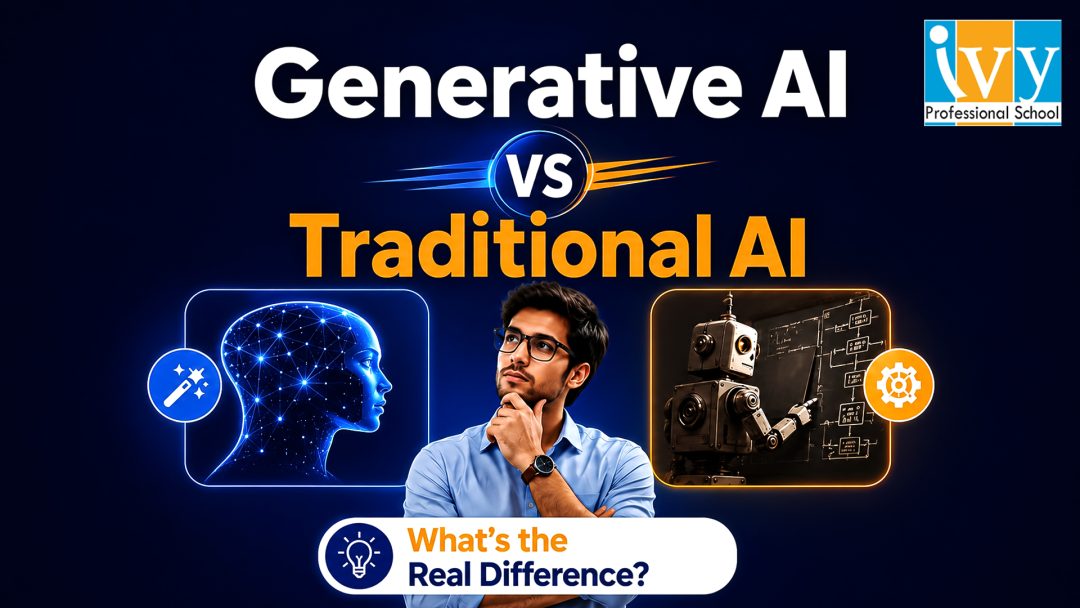
Every few years, a technology arrives that genuinely changes the rules. Not incrementally but structurally. The internet changed how information moves. Smartphones changed how people interact with technology. Generative AI is doing something of the same order: it is changing what machines can do, and by extension, what humans need to do to remain relevant in the workforce.
But there is a confusion problem. When most people say “AI,” they are collapsing two fundamentally different categories of technology into one word. Traditional AI and generative AI are not the same thing. They work differently, they do different things, they are used differently by businesses, and they require different skills to work with.
If you are trying to understand where to invest your learning time in 2026 or simply trying to make sense of the technology reshaping your industry, understanding this distinction is the place to start.
This article will explain the difference clearly, without jargon, and connect it directly to what it means for careers in data science and analytics in India today.
Traditional AI, also called conventional AI, predictive AI, or narrow AI is the form of artificial intelligence that has been powering business decisions for the last two decades. It is the AI behind your bank’s fraud detection system, the recommendation engine on a streaming platform, the credit scoring model that decides loan eligibility, and the demand forecasting tool that tells a retailer how much stock to order next month.
Traditional AI works by learning patterns from historical data and using those patterns to make predictions or decisions about new data. Feed it millions of past loan applications labelled “default” or “no default,” and it learns to predict which future applications are risky. Feed it years of sales data and it learns to forecast what sales will look like next quarter. Feed it thousands of customer profiles labelled “churned” or “retained” and it learns to identify which current customers are most likely to leave.
The key characteristics of traditional AI are:
It is trained on labelled data. Most traditional AI models require human-labelled examples to learn from. Someone or a team of someones has to tag data as spam or not spam, fraudulent or legitimate, positive sentiment or negative sentiment. This labelling process is expensive, time-consuming, and a significant bottleneck.
It is narrow by design. A traditional AI model trained to detect credit card fraud cannot suddenly also predict customer churn. Each model is built for one specific task. It is extraordinarily good at that task, often better than humans but it cannot generalise beyond its training objective.
It produces predictions and classifications, not content. The output of a traditional AI model is typically a number, a category, or a probability. A fraud detection model outputs “fraud” or “not fraud.” A demand forecasting model outputs a sales number. A churn prediction model outputs a probability score. Traditional AI tells you what is likely to happen or what category something belongs to. It does not create anything new.
It is highly interpretable in well-designed systems. Many traditional AI models, particularly decision trees, logistic regression, and gradient boosting models can be examined to understand why they made a particular prediction. This interpretability is critically important in regulated industries like banking, insurance, and healthcare, where a decision must be explainable to a regulator or a customer.
Traditional AI has delivered enormous value across industries. It is not obsolete. It is not going away. But it has a hard ceiling and generative AI operates above that ceiling.
Generative AI is a fundamentally different category of artificial intelligence. Rather than learning patterns to make predictions about existing data, generative AI learns the underlying structure of data to create entirely new data that resembles what it was trained on.
The models at the heart of generative AI large language models like GPT-4o, Claude, and Gemini, image generation models like Stable Diffusion and DALL-E, and code generation tools like GitHub Copilot are trained on vast quantities of text, images, code, and other content. Through that training, they develop a deep statistical understanding of how human-created content is structured. They learn, in essence, the grammar of language, the composition rules of images, the syntax of code.
Then, given a prompt, they use that understanding to generate new content that follows those same structural patterns. The output is not retrieved from a database. It is not assembled from templates. It is created, token by token, word by word, pixel by pixel, from the model’s learned representation of how that type of content is typically constructed.
The key characteristics of generative AI are:
It is trained on unstructured data at massive scale. Unlike traditional AI, which typically requires carefully labelled datasets of thousands or millions of examples, generative AI models are pre-trained on trillions of tokens of raw text, images, and code scraped from the internet, books, academic papers, and other sources. This pre-training gives them broad, general knowledge across an enormous range of domains.
It is general-purpose within its modality. A large language model can write a legal brief, generate Python code, summarise a financial report, translate between languages, explain a scientific concept, and draft a marketing email all with the same model. This generality is unprecedented in AI history. Traditional AI models are specialists; generative AI models are generalists.
It produces content, not just predictions. The output of a generative AI system is new content: a paragraph of text, a piece of code, an image, a structured data object, a summary, a conversation. This is fundamentally different from the numerical outputs of traditional AI. Generative AI does not tell you what will happen — it creates something that did not previously exist.
It is directed through natural language. Traditional AI systems are configured through data pipelines, feature engineering, hyperparameter tuning, and code. Generative AI systems are directed through prompts — instructions written in natural language. This dramatically lowers the technical barrier to using AI, which is one of the reasons generative AI has spread so rapidly across non-technical business functions.
It is less inherently interpretable. The internal workings of a large language model involving billions or trillions of parameters — are substantially harder to interpret than a logistic regression or decision tree. This is a genuine limitation in high-stakes, regulated environments, and an active area of research in the field of AI explainability.

If you want to remember one thing from this article, let it be this:
Traditional AI predicts. Generative AI creates.
Traditional AI takes existing data and tells you instructions like this transaction is fraudulent, this customer will churn, this image contains a cat. It reasons from data to conclusions about data.
Generative AI takes a prompt and produces something new. A document, a piece of code, an analysis, a design or an answer. It reasons from patterns learned during training to generate content that has never existed before.
This distinction has profound implications for how each type of AI is used in business, and what skills professionals need to work effectively alongside each type.
The most sophisticated AI deployments in 2026 do not use traditional AI or generative AI, they use both, in complementary ways.
Consider a bank building a loan assessment system. Traditional AI handles the quantitative prediction: given an applicant’s financial history, employment record, and credit behaviour, what is the probability of default? The traditional model is narrow, precise, trained on millions of labelled examples, and auditable by regulators.
Generative AI handles the communication and augmentation layers: it generates a plain-language explanation of why the application was declined, drafts the letter sent to the applicant, helps the underwriter by summarising the applicant’s profile from documents, and assists the compliance team by answering questions about the decision in plain English.
Or consider an e-commerce company. Traditional AI powers the recommendation engine — predicting which products a user is most likely to purchase based on browsing history and purchase patterns. Generative AI writes personalised product descriptions, drafts promotional emails tailored to individual customer segments, generates responses to customer service queries, and helps the analytics team by producing natural-language summaries of sales performance reports.
The pattern repeats across industries: traditional AI for structured prediction tasks where accuracy, auditability, and domain specificity matter; generative AI for content generation, communication, synthesis, and augmentation tasks where flexibility and natural language capability matter.
For data professionals, this means the skill set in 2026 is additive. You need to understand traditional machine learning — how to build, evaluate, and deploy predictive models — and you need to understand generative AI — how to prompt, fine-tune, integrate, and build applications with large language models. These are not competing skill sets. They are layers of the same profession.
| Dimension | Traditional AI | Generative AI |
| Primary function | Predict, classify, detect | Create, generate, synthesise |
| Training data | Labelled, domain-specific | Vast unstructured text/images/code |
| Output type | Numbers, categories, scores | Text, code, images, structured data |
| Scope | Narrow — one task per model | General — many tasks, one model |
| How you interact | Code, pipelines, APIs | Natural language prompts |
| Interpretability | Often high (some models) | Lower — active research area |
| Examples | Fraud detection, churn prediction, demand forecasting, image classification | ChatGPT, Claude, Copilot, DALL-E, Gemini |
| Business use cases | Risk scoring, quality control, personalisation, predictive maintenance | Content generation, code assistance, document summarisation, customer support |
| Key skills needed | Statistics, ML algorithms, feature engineering, model evaluation | Prompt engineering, RAG, fine-tuning, agentic frameworks |

What This Means for Data Professionals in India
The data science profession in India is at an inflection point. The skills that defined a strong data scientist in 2020 — Python, SQL, machine learning, data visualisation — remain necessary but are no longer sufficient for professionals who want to stay at the front of the field.
The professionals who are commanding the highest salaries and the most interesting roles in 2026 are those who have added generative AI capabilities to a strong traditional ML foundation. They understand not just how to build a churn prediction model — but how to wrap that model in an AI assistant that helps business users interpret and act on its outputs. They know not just how to write SQL queries — but how to build a natural language interface that lets non-technical stakeholders query a database in plain English. They can not just build a data pipeline — they can augment it with AI agents that automatically flag anomalies, generate narrative summaries, and route insights to the right decision-makers.
This combination — traditional AI for structured analytical depth, generative AI for flexibility, communication, and automation — is what the market is calling “AI-augmented data science.” And it is the skill set that Ivy Professional School’s Generative AI and Data Science program is designed to build.
If you are a data professional trying to understand where to invest your learning time, here is the honest answer.
If you are new to data science entirely, start with the fundamentals: statistics, SQL, Python, and basic machine learning. These are the non-negotiables that underpin everything else. A professional who jumps straight to prompt engineering without understanding data structures, probability, and model evaluation is building on sand. The traditional AI foundation comes first.
If you already have data analytics or data science experience, the most valuable investment in 2026 is adding generative AI to your existing toolkit. Specifically: prompt engineering (how to direct large language models effectively), retrieval-augmented generation (how to connect LLMs to proprietary data sources), agentic AI frameworks (how to build AI systems that can complete multi-step tasks autonomously), and fine-tuning (when and how to customise a foundation model for a specific business use case).
If you are a business professional — not a data specialist — who wants to understand how AI applies to your domain, the generative AI layer is the most immediately accessible entry point. Prompt engineering, AI-assisted analysis, and understanding how to work alongside AI tools in your workflow do not require a deep statistical background. They require clear thinking, domain expertise, and structured communication skills that many non-technical professionals already possess.
At Ivy Professional School, we made a deliberate curriculum decision when the generative AI wave hit in 2023: we did not replace our traditional machine learning curriculum with a generative AI curriculum. We expanded it.
Because the professionals our 500+ hiring partners are looking for in 2026 are not specialists in one category or the other. They are professionals who understand the full landscape — who know when a problem calls for a predictive model and when it calls for a generative solution, who can build both and integrate them, and who can communicate about both to business stakeholders who need to trust and act on the outputs.
Our Generative AI and Data Science program — certified by E&ICT Academy, and backed by NASSCOM and IBM — covers traditional machine learning, data analytics, and the full generative AI stack: LLM fundamentals, prompt engineering, RAG architecture, agentic AI frameworks, and responsible AI. Students do not choose between traditional and generative AI. They learn both, applied to real business problems, in a structured sequence that builds genuine job-ready capability.
Across 37,500+ alumni over eighteen years, this integrated approach has consistently produced the placement outcomes that our students come for — and that our hiring partners return for year after year.
Traditional AI and generative AI are not competitors. They are not a generational replacement — one obsoleting the other. They are complementary technologies, each with its own strengths, appropriate use cases, and required skill sets.
Traditional AI is the engine of structured prediction: precise, narrow, auditable, and extraordinarily effective at the specific tasks it is designed for. Generative AI is the engine of creation and communication: flexible, general-purpose, and capable of working with language and unstructured information in ways that traditional AI fundamentally cannot.
The professionals who understand both — who can navigate the full landscape of modern AI, choosing the right tool for the right problem — are the ones the job market in India is competing for in 2026.
Understanding the difference is not just academic. It is the foundation of a career strategy.
Ivy Professional School’s Generative AI and Data Science program is designed for exactly the professional described in this article — someone who wants to understand and work with the full spectrum of modern AI, not just a slice of it.
NASSCOM and IBM backed. Pay After Placement. Weekend batches available across Kolkata and Bangalore.
Book a free counselling session at ivyproschool.com and speak with a program advisor who can map your current background to the fastest path to a job-ready AI skill set.
Q1. Is generative AI replacing traditional AI in data science jobs?
No — generative AI is augmenting traditional AI, not replacing it. Predictive modelling, classification, clustering, and anomaly detection remain core data science competencies in 2026. What has changed is that professionals who can also work with generative AI — building LLM-powered applications, designing prompt systems, and integrating AI into data workflows — command a significant salary premium over those who cannot. The floor has not moved; the ceiling has risen.
Q2. Do I need to learn traditional machine learning before generative AI?
For data science and analytics roles, yes — the traditional ML foundation matters. Understanding statistics, model evaluation, feature engineering, and data pipelines gives you the context to use generative AI tools correctly and critically. Without that foundation, you may produce faster outputs but you will lack the judgment to know whether those outputs are correct. For business analyst and non-technical roles, generative AI skills alone can be valuable entry points without a full ML background.
Q3. What are the most in-demand generative AI skills for data professionals in India?
In 2026, the skills generating the most employer demand across India’s data job market are: prompt engineering (structured and applied), retrieval-augmented generation (RAG) for enterprise knowledge bases, agentic AI workflow design using frameworks like LangChain and CrewAI, LLM fine-tuning for domain-specific applications, and responsible AI — understanding where generative models fail, hallucinate, or introduce bias, and building systems that manage those risks.
Q4. Which industries in India are adopting generative AI fastest?
BFSI (Banking, Financial Services, Insurance) leads adoption — using generative AI for document processing, regulatory compliance, customer communication, and fraud narrative generation alongside traditional fraud detection models. E-commerce and retail follow, using GenAI for personalised content, product descriptions, and customer support automation. Healthcare is growing fast, particularly in clinical documentation, medical coding, and patient communication. IT services and consulting have the broadest adoption simply due to their scale. In every case, traditional AI and generative AI are being deployed together, not as substitutes.
Q5. What salary can I expect after learning both traditional and generative AI skills?
Professionals who combine solid traditional machine learning competencies with generative AI skills are earning ₹10–20 LPA at fresher to junior levels in India’s top product companies, GCCs, and consulting firms in 2026. Mid-level professionals with three to five years of experience who add GenAI specialisation are seeing salary increments of 30–50% within twelve to eighteen months. The salary premium for GenAI-capable candidates over traditional ML-only candidates at equivalent experience levels is currently 25–45% — a gap that reflects the supply shortage in this combined skill set.
Prateek Agrawal May 20, 2026 No Comments

If you have searched “best GenAI course India 2026” and landed here, you are already ahead of most people. You have recognised that generative AI is not a passing trend, it is a structural shift in how businesses operate, how products are built, and how careers are valued. The question you are trying to answer is not whether to learn it. It is who to learn it from.
That is the harder question. And it deserves a more honest answer than most institutes will give you.
The Indian online education market has exploded with GenAI courses over the last eighteen months. Every platform, every institute, and every coaching centre now has a “best GenAI course” badge on their homepage. Some of them are excellent. Many of them are recycled machine learning content with “generative AI” added to the title. A few are genuinely misleading, promising skills and placements they cannot deliver.
This article will not just tell you which is the best GenAI course to pick. It will give you the framework to evaluate any GenAI course yourself, so that whatever you decide, you make the decision with clear eyes.
Generative AI moved from experimental to operational faster than almost anyone predicted. In 2023, enterprises were running pilots. In 2024, they were integrating. By 2025, GenAI tools were embedded in workflows across BFSI, e-commerce, healthcare, consulting, and manufacturing. In 2026, they are table stakes — and the professionals who cannot work alongside, direct, and build with these tools are visibly falling behind.
The demand for GenAI skills in the Indian job market reflects this shift. According to LinkedIn’s 2025 Jobs on the Rise report for India, roles requiring generative AI skills grew by over 300% year-on-year. Salaries for GenAI-capable professionals, engineers, analysts, and product managers alike, command a 25–45% premium over peers with equivalent experience but no GenAI proficiency.
The supply side has not kept pace. Most professionals who want to build these skills are overwhelmed by the noise of competing course offerings and uncertain about which credentials employers actually respect. That gap between high demand and uncertain supply is where the opportunity sits for anyone who acts decisively in 2026.
This is precisely why finding the best GenAI course in India matters more in 2026 than it did in any previous year. The wrong course wastes six to twelve months of your time and produces a certificate that does not move hiring managers. The right course changes your career trajectory permanently.

This is the section most best-GenAI-course comparison articles skip. They list courses and star ratings without explaining what the curriculum should actually contain. Here is what separates a job-ready generative AI program from a certificate factory.
Large Language Model fundamentals — at the right depth. You do not need to understand the mathematics of transformer architectures to use GenAI professionally. But you do need to understand how LLMs process context, why they hallucinate, how temperature and sampling affect outputs, and what the difference is between a foundation model and a fine-tuned one. The best GenAI course will dedicate at least two to three weeks to this conceptual layer — because it is the foundation on which every practical skill is built. A course that skips this produces professionals who can use ChatGPT but cannot diagnose why it fails or make principled decisions about when to use AI versus when not to.
Prompt engineering — structured and applied. Zero-shot, few-shot, chain-of-thought, role-based prompting, and structured output generation are core skills. Any generative AI course worth enrolling in should spend significant time on these techniques with hands-on exercises on real business problems not just toy examples. If the prompt engineering module is a two-hour video lecture with no applied practice, it is not sufficient for a job-ready outcome.
Retrieval-Augmented Generation (RAG) – This is the architecture that makes GenAI practically useful for enterprise applications. RAG systems connect LLMs to proprietary databases, documents, and knowledge bases — allowing businesses to build AI tools that answer questions using their own data rather than generic training data. In 2026, RAG is not an advanced topic. It is a core skill for anyone building or working with enterprise AI applications. The best GenAI course in India will cover RAG as a mandatory module — not an optional advanced add-on. A program that does not cover RAG is teaching 2023 GenAI.
Agentic AI and multi-agent frameworks. AI agents — Systems where a model can autonomously plan, use tools, search the web, write and run code, and chain multiple tasks together — are the frontier of practical GenAI in 2026. LangChain, LlamaIndex, AutoGen, and CrewAI are the tools being deployed in production environments at progressive companies. Any course claiming to be the best GenAI course in 2026 without covering agentic frameworks is leaving students unprepared for where the field is moving fastest.
Fine-tuning and model customisation – Understanding when and how to fine-tune a foundation model for a specific use case — versus prompting a general model — is an increasingly important decision in enterprise AI deployment. This does not require deep ML engineering expertise, but it does require conceptual clarity about the tradeoffs involved. A best-in-class generative AI course will cover this distinction clearly with real use case examples.
Responsible AI and hallucination management – GenAI systems fail in specific, predictable ways. Hallucination, bias amplification, privacy leakage through prompts, and adversarial manipulation are real risks in production deployments. A course that does not cover these failure modes is producing professionals who will cause expensive mistakes at their employers. Responsible AI is not a compliance checkbox — it is a professional competency.
GenAI for data workflows. For data professionals specifically, the best GenAI course in India should cover how to integrate large language models into data pipelines — using AI to assist with data cleaning, EDA, SQL generation, visualisation narration, and automated reporting. This applied layer is what makes GenAI training immediately relevant to a working data professional’s day job.
Curriculum is necessary but not sufficient. When evaluating which is the best GenAI course for your specific situation, these four additional dimensions matter as much as the syllabus.
Faculty with current industry experience. The GenAI landscape in 2026 is not the same as it was in 2024. A faculty member whose knowledge of LLMs is based on what was current two years ago is not equipped to teach what employers need now. When evaluating any generative AI course, ask: when did your core GenAI faculty last work on a production AI deployment? If the answer is vague or deflected, that is important information. The best GenAI courses in India are taught by practitioners who are using these tools in real enterprise environments right now — not academics teaching from papers published eighteen months ago.
Institutional backing that employers recognise. The Indian job market uses institutional affiliation as a quality signal when evaluating candidates at scale. A GenAI certificate backed by NASSCOM, or IBM carries weight in a hiring conversation that a certificate from an unknown platform does not. This is not about prestige for its own sake — it is about whether your credential functions as a trust signal to employers who do not have time to evaluate every portfolio individually. The best GenAI course in India will carry institutional partnerships that your future employer has heard of.
Hands-on project work on real problems. The gap between watching someone build a RAG pipeline on video and building one yourself on a real business dataset is enormous. Any best generative AI course worth the fee should require you to complete end-to-end projects — an AI-powered document Q&A system, a customer support automation agent, a data analysis co-pilot — that you can deploy, demonstrate, and discuss in an interview. Portfolio depth is the single biggest determinant of interview outcomes for GenAI roles in 2026.
Placement support with verifiable outcomes. GenAI is a new enough field that placement records are the most honest signal of whether a program actually produces job-ready graduates. Before enrolling in any course claiming to be the best GenAI course in India, ask for specific company names, role titles, and salary ranges from the last twelve months of placements — not aggregate historical numbers. Institutes that cannot or will not provide this data are telling you something important about the gap between their marketing and their outcomes.
Understanding what employers want is the clearest guide to what the best GenAI course in India should teach. Based on active hiring patterns across India’s leading technology, consulting, and product companies in 2026, these are the roles generating the most demand.
GenAI Application Developer — Builds end-to-end AI applications using LLM APIs, RAG architectures, and agentic frameworks. Requires Python, LangChain or equivalent, and cloud platform familiarity. Starting salary: ₹10–18 LPA.
AI/ML Engineer with GenAI specialisation — Extends traditional ML engineering skills to include LLM fine-tuning, deployment, and MLOps for generative models. Starting salary: ₹12–20 LPA.
Prompt Engineer — Designs and optimises prompt systems for enterprise AI deployments. Increasingly specialised role at companies running large-scale GenAI operations. Starting salary: ₹9–15 LPA.
Data Analyst with AI augmentation skills — Uses GenAI tools to accelerate analytical workflows — generating SQL, building automated reports, and creating narrative summaries of data findings. The most accessible entry point for professionals transitioning from traditional analytics. Starting salary: ₹7–12 LPA.
AI Product Manager — Defines the product strategy for AI-powered features and products. Requires understanding of GenAI capabilities and limitations at a conceptual depth sufficient to make informed build/buy/partner decisions. Starting salary: ₹14–25 LPA.
The best GenAI course in India in 2026 should prepare you for at least one of these role categories specifically — not just give you a generic exposure to AI concepts that leaves you unable to articulate which role you are targeting or why you are qualified for it.

Ivy Professional School has been in the data education business since 2007 — long before generative AI existed as a field. That eighteen-year track record means we have watched multiple waves of technological change reshape the profession, and we have developed institutional muscle for keeping curriculum current as the tools evolve. We do not claim to offer the best GenAI course in India lightly — we have the placement data and alumni outcomes to back it up.
Our Generative AI and Data Science program — certified by E&ICT Academy, and backed by NASSCOM and IBM, is built around every curriculum requirement described above. LLM fundamentals, prompt engineering, RAG architecture, agentic AI frameworks, fine-tuning, responsible AI, and GenAI for data workflows are all core modules, not optional add-ons. The curriculum is reviewed and updated quarterly in partnership with our industry advisory board, practitioners from our 500+ hiring partner network who tell us in real time what skills they cannot find in candidates.
Faculty are working practitioners. Every core module is taught by someone who has deployed GenAI solutions in production environments — not academics teaching from papers, and not instructors whose industry experience ended before LLMs became the dominant paradigm.
Projects are real and portfolio-ready. Students build a functional RAG-based document intelligence system, a multi-agent workflow for automated data analysis, and a prompt engineering toolkit for a business use case of their own choosing. These are not tutorial completions — they are deployable assets that demonstrate genuine capability to every employer who evaluates them.
Our 37,500+ alumni network spans 500+ companies across India. When an Ivy Pro student enters the job market after completing what we believe is the best GenAI course available in India today, they have access to placement relationships built and maintained over eighteen years, direct introductions to hiring managers, not resume submissions to job portals.
And our Pay After Placement model removes the financial risk entirely. You complete the program, build your portfolio, and pay only after you have secured a role that meets a defined salary threshold. We carry the risk because eighteen years of data tells us our outcomes justify the confidence.
Before we get to the checklist, it is worth naming the red flags that disqualify a program from being considered the best GenAI course in India, regardless of how it is marketed.
No RAG or agentic AI in the core syllabus. If a course does not cover these in 2026, it is teaching yesterday’s GenAI. Walk away.
Vague placement claims without verifiable data. “95% placement rate” without company names, roles, and salaries is a marketing number, not an outcome. The best GenAI course will show you evidence, not assertions.
All video, no live instruction or mentorship. Self-paced platforms have a role in learning, but they are not sufficient for a career transition. If there is no live interaction, no mentorship, and no accountability structure, the dropout rate is high and the job-readiness outcome is low.
Faculty with no recent industry experience. Teaching GenAI from textbooks in 2026 is like teaching driving from a manual without ever sitting in a car. The field moves too fast for academic-only instruction.
No hands-on projects on real datasets. Exercises on toy datasets teach syntax, not thinking. The best GenAI course in India will challenge you with messy, real-world data problems where the answer is not already known.
Before you make a final decision on which is the best GenAI course for your situation, ask these five questions to every institute on your shortlist — including us.
One: Does your curriculum cover RAG, agentic AI, and fine-tuning as core modules, or are these optional additions?
Two: Who teaches the GenAI modules, and when did they last work on a production GenAI deployment?
Three: What institutional certification does the program carry, and is it recognised by major Indian and multinational employers?
Four: Can you share verified placement data from the last twelve months — company names, role titles, and salary ranges?
Five: What does placement support actually look like — direct hiring manager introductions, or access to a job portal?
The best GenAI course in India in 2026 is not the one with the most recognisable brand name or the lowest fee. It is the one that answers all five of these questions with evidence, not promises. Any institute that deflects, generalises, or avoids specifics on any of these five points is telling you what you need to know.

If you are serious about building a career in generative AI in 2026, the most expensive decision you can make is to delay. The professionals enrolling in the best GenAI courses in India right now are building portfolios, developing placement-ready skills, and entering a job market where their competition is still watching YouTube tutorials and calling it upskilling.
Ivy Professional School’s Generative AI and Data Science program — E&ICT Academy certified, NASSCOM and IBM backed, with a Pay After Placement model — is open for enrollment now. Weekend and weekday batches available across Kolkata and Bangalore, with online options for outstation learners.
Book your free counselling session at ivyproschool.com. A program advisor will evaluate your background, your target role, and your realistic salary range — and tell you honestly whether our program is the best GenAI course match for your specific situation.
Q1. Who is eligible for the best GenAI course in India — do I need a technical background?
No technical background is required to enrol in a quality GenAI course, but a basic familiarity with data concepts helps. At Ivy Professional School, we accept students from all academic backgrounds — engineering, commerce, arts, and management. The program is designed to bring a motivated learner from foundational concepts to job-ready GenAI proficiency, regardless of where they start. If you can think analytically and communicate clearly, you have the two most important prerequisites for succeeding in the best GenAI course available.
Q2. What is the difference between a GenAI course and a machine learning course?
Machine learning focuses on building predictive models from structured data — classification, regression, clustering, and forecasting using algorithms like decision trees, random forests, and neural networks. Generative AI focuses on models that create new content — text, code, images, and structured outputs — using large language models and diffusion architectures. In 2026, the best GenAI course in India covers both: ML for predictive analytics and GenAI for content generation, automation, and AI application development. They are complementary, not competing disciplines.
Q3. How long does it take to complete a GenAI course and become job-ready?
For a working professional studying part-time, approximately eight to ten hours per week, the best GenAI course structured for career outcomes takes nine to twelve months to complete. Freshers or students who can dedicate more time can compress this to six to nine months. The key variable is not just course completion but portfolio development: you become genuinely job-ready when you have two to three real projects you can demonstrate in an interview, not when you receive a certificate.
Q4. What jobs can I get after completing a GenAI course in India?
The most in-demand roles for GenAI-trained professionals in India in 2026 include: AI/ML Engineer, GenAI Application Developer, Prompt Engineer, Data Scientist (AI-augmented), NLP Engineer, AI Product Manager, and Data Analyst with GenAI specialisation. Salary ranges for these roles at fresher to junior level run from ₹8 LPA to ₹18 LPA depending on company type, city, and portfolio depth. The best GenAI course will prepare you specifically for one or more of these role categories, not just give you generic AI exposure.
Q5. Is a GenAI course worth it compared to free online resources?
Free resources such as YouTube, Coursera, Hugging Face documentation are valuable for self-directed learning. But they have three significant gaps for professionals trying to transition careers. First, they provide no structured path: you can spend months learning things in the wrong order. Second, they provide no mentorship: when you are stuck at 10 PM, there is no one to help you move forward. Third, they provide no placement support. The best GenAI course in India, backed by industry partners, addresses all three gaps. The question is not whether free resources are good, they are. The question is whether they are sufficient for a career transition on a defined timeline.
Q6. What is the fee structure for Ivy Pro’s GenAI course, and is there a Pay After Placement option?
Ivy Professional School offers a Pay After Placement model for eligible candidates you complete the full program and pay only after securing a job offer that meets a defined salary threshold. This removes upfront financial risk entirely. No-cost EMI options are also available. Contact our admissions team at ivyproschool.com for current fee details. If you are looking for the best GenAI course in India with the lowest financial risk, Pay After Placement is the model that makes that possible.
Q7. How is Ivy Pro’s GenAI course different from what platforms like Coursera or Udemy offer?
Online platforms like Coursera and Udemy offer self-paced video content useful for concept exposure but limited in applied depth, mentorship, and placement outcomes. The best GenAI course differs in four key ways: live instruction from practitioners with current industry experience, hands-on capstone projects on real business datasets, one-on-one mentorship throughout the program, and active placement support with direct hiring manager introductions at 500+ partner companies. Platform certificates are credentials you earn by watching. Ivy Pro’s NASSCOM certification is a credential employers recognise and respect.
Q8. Can I learn GenAI while working full-time?
Yes and the majority of students in Ivy Pro’s best GenAI course are working professionals doing exactly this. Our weekend batch model is specifically designed for full-time professionals: live classes on Saturday and Sunday, structured weekday assignments of one to two hours per evening, and bi-weekly mentorship sessions scheduled around professional availability. The total weekly time commitment is eight to ten hours compatible with a demanding job if you protect that time consistently.
Prateek Agrawal May 16, 2026 No Comments
Many people believe that data science is only for software engineers, coders, or people from a computer science background. This is one of the biggest myths stopping talented professionals from entering the field. The truth is simple: Can a non-IT person learn data science? Yes, absolutely.
Data science is not just about writing code. It is about understanding data, asking the right questions, finding patterns, solving business problems, and communicating insights clearly. In fact, many non-IT professionals already use data in their daily work without calling it “data science.” Sales teams analyze targets, finance teams study costs, HR teams review attrition, marketing teams track campaigns, and operations teams monitor performance. Data science simply gives structure, tools, and advanced techniques to do this better.
So, if you are from commerce, management, economics, statistics, engineering, HR, sales, finance, operations, or even a completely different background, this blog will help you understand how you can enter the field confidently.
Before answering Can a non-IT person learn data science, it is important to understand what data science really is.
Data science is the process of collecting, cleaning, analyzing, visualizing, and interpreting data to solve problems or support decision-making. It combines different skills such as statistics, business understanding, programming, machine learning, and communication.
For example, a retail company may want to know why sales dropped in a particular region. A data science approach would include collecting sales data, comparing it across locations and time periods, finding possible reasons, visualizing the trends, and recommending business actions.
Similarly, a bank may use data science to identify customers who are likely to default on loans. A hospital may use it to predict patient demand. An e-commerce company may use it to recommend products. A manufacturing company may use it to forecast defects or machine downtime.
This shows that data science is not limited to IT companies. It is used across industries and functions.
The most common fear beginners have is coding. Many people think, “I am not from IT, so how will I learn Python, SQL, or machine learning?”
Here is the reality: coding is a skill, not a background requirement. Nobody is born knowing Python or SQL. Even IT professionals learn them step by step.
So, Can a non-IT person learn data science without coding experience? Yes. You can start with beginner-friendly tools and gradually move toward programming.
A good learning path usually begins with Excel, statistics, and business problem-solving. Then you can learn SQL for working with databases. After that, Python becomes easier because you already understand what you want to do with data.
Python for data science is not the same as advanced software development. You do not need to build complex applications at the beginning. You mainly need to learn how to import data, clean it, analyze it, create charts, and build basic models.
For many learners, the fear of coding disappears once they start applying it to real examples.

A non-IT background can become a strength in data science, especially if you already understand business processes.
For example, a finance professional understands revenue, cost, profit, margins, and risk. A marketing professional understands customer behavior, campaign performance, segmentation, and conversion. An HR professional understands hiring, attrition, employee engagement, and performance. A supply chain professional understands inventory, logistics, demand, and vendor performance.
These domain skills are extremely valuable.
Many technical learners know how to build models but may struggle to understand the business context. On the other hand, a non-IT professional may understand the business problem better and can learn the required tools to analyze it.
This is why the answer to Can a non-IT person learn data science is not only yes, but also that they may bring a unique advantage.
To become good at data science, you need a combination of technical and analytical skills. You do not need to master everything on day one. You can build these skills gradually.
Statistics is the foundation of data science. You should understand concepts like average, median, percentage, variance, correlation, probability, hypothesis testing, and distribution.
The good news is that you do not need advanced mathematics at the beginner stage. Most real business problems require practical statistical thinking rather than complicated formulas.
Excel is a great starting point for non-IT learners. It helps you understand rows, columns, formulas, filters, pivot tables, charts, and basic analysis.
If you are already comfortable with Excel, you already have a strong foundation for data science.
SQL is used to extract and work with data from databases. It is one of the most important skills for data analysts and data scientists.
SQL is easier than most programming languages because it uses a structured query format. You can learn basic SQL queries like SELECT, WHERE, GROUP BY, JOIN, and ORDER BY within a few weeks of practice.
Python is widely used in data science because it is simple and powerful. Libraries like Pandas, NumPy, Matplotlib, Seaborn, and Scikit-learn help you clean data, analyze it, visualize it, and build machine learning models.
For beginners, the focus should be on Python for data analysis, not advanced software development.
A data scientist must know how to present insights clearly. Tools like Power BI, Tableau, Excel dashboards, and Python visualization libraries are useful here.
Good visualization helps decision-makers understand what the data is saying.
Machine learning helps computers learn patterns from data. As a beginner, you can start with simple concepts like regression, classification, clustering, and decision trees.
You do not need to become a machine learning researcher. You need to understand how models work, when to use them, and how to evaluate their performance.
This is where non-IT learners can shine. Data science is valuable only when it solves real problems. You should learn how to convert a business question into a data question.
For example, “Why are customers leaving?” becomes a churn analysis problem. “Which product should we promote?” becomes a sales and customer segmentation problem.

If you are wondering Can a non-IT person learn data science in a structured way, follow this practical path.
Start with Excel and basic statistics. Learn how to clean data, create pivot tables, calculate key metrics, and build simple dashboards. Then move to SQL and learn how to extract data from databases.
Once you are comfortable with SQL, start Python. Focus on Python basics first, then move to Pandas for data cleaning and analysis. After this, learn visualization using Power BI, Tableau, or Python libraries.
Then move to machine learning basics. Start with simple projects like predicting house prices, classifying customers, forecasting sales, or analyzing employee attrition.
Finally, build a project portfolio. This is extremely important for career transition. Employers want to see whether you can apply your skills to real-world problems.
Learning data science as a non-IT person is possible, but it does come with challenges.
The first challenge is fear of coding. Many learners give up before they even start because Python looks unfamiliar. The solution is to learn coding through practical examples rather than theory.
The second challenge is trying to learn too much at once. Data science has many topics, and beginners often feel overwhelmed. The solution is to follow a step-by-step roadmap.
The third challenge is lack of practice. Watching videos is not enough. You need to work on datasets, solve problems, and build projects.
The fourth challenge is not connecting data science with business use cases. Many learners focus only on tools and forget the problem-solving part. This makes their learning incomplete.
The fifth challenge is comparison. Non-IT learners often compare themselves with coders. This is unnecessary. Your journey will be different, but it can still be successful.
The timeline depends on your background, consistency, and learning approach.
If you study regularly for 8 to 10 hours per week, you can build a strong foundation in 6 to 9 months. This includes Excel, SQL, Python, statistics, visualization, and basic machine learning.
If you already know Excel, business analytics, finance, or statistics, your journey may be faster. If you are completely new to data, it may take longer.
But the real answer is not just about duration. The quality of practice matters more. A learner who completes 5 strong projects in 6 months may be more job-ready than someone who watches videos for one year without applying anything.
So, when people ask Can a non-IT person learn data science, the better question is: Are they willing to practice consistently?

Data science opens up multiple career paths. You do not have to become a data scientist immediately. Many non-IT professionals begin with roles that match their current strengths.
Some popular roles include:
| Role | Suitable For |
| Data Analyst | Beginners, Excel users, business professionals |
| Business Analyst | Management, operations, finance, sales backgrounds |
| BI Analyst | People interested in dashboards and reporting |
| Marketing Analyst | Marketing and digital campaign professionals |
| HR Analyst | HR and talent management professionals |
| Financial Analyst | Commerce, finance, accounting backgrounds |
| Machine Learning Analyst | Learners comfortable with Python and models |
| Data Scientist | Learners with stronger statistics, coding, and ML skills |
This means you do not need to jump directly into the most advanced role. You can enter through analytics and gradually grow into data science.
Many non-IT backgrounds are suitable for data science.
Commerce students can understand business numbers, accounting, finance, and reporting. MBA graduates can connect data with strategy and decision-making. Economics students often have good analytical and statistical thinking. Engineers from non-computer branches can bring logical thinking and process understanding. HR, sales, marketing, and operations professionals bring domain knowledge.
Even teachers, researchers, entrepreneurs, and consultants can learn data science if they follow the right roadmap.
So, Can a non-IT person learn data science from any background? Yes, provided they are ready to learn the tools, practice regularly, and build projects.
A portfolio is one of the most important parts of your career transition. It shows employers that you can work with real data.
Your portfolio should include projects from different areas such as sales analysis, customer segmentation, financial analysis, HR attrition analysis, inventory analysis, social media analysis, and predictive modeling.
Each project should clearly explain the business problem, dataset used, steps followed, tools applied, insights found, and recommendations given.
Do not simply upload code. Tell a story through your project. Recruiters and hiring managers should be able to understand what problem you solved and what value your analysis created.
A strong portfolio can help non-IT learners compete with technical candidates.
Start small. Do not begin with advanced machine learning or deep learning. Build your foundation first.
Learn one tool at a time. For example, do not try to learn Excel, SQL, Python, Power BI, and machine learning all in the same week.
Practice on real datasets. Use business datasets whenever possible because they are easier to relate to.
Focus on problem-solving. Tools will keep changing, but analytical thinking will always remain valuable.
Build projects and publish them on LinkedIn or a portfolio website. Visibility matters.
Learn how to explain your work. A data professional must communicate insights, not just produce charts or code.
Yes. Can a non-IT person learn data science? Definitely. Data science is not reserved for IT professionals. It is open to anyone who is curious, analytical, consistent, and willing to learn.
You do not need to know coding before starting. You do not need a computer science degree. You do not need to be a mathematics genius. What you need is a structured roadmap, regular practice, real projects, and the ability to connect data with business problems.
In fact, non-IT professionals often bring valuable domain knowledge that can make them stronger data professionals. A finance person can become a finance analytics expert. A marketing person can become a marketing analyst. An HR person can become an HR analytics specialist. An operations professional can become a supply chain analytics expert.
The best way to start is simple: learn Excel and statistics, move to SQL, then Python, then visualization and machine learning. Build projects at every stage.
So, the next time someone asks Can a non-IT person learn data science, the answer is clear: yes, and with the right guidance, they can build a strong and rewarding career in the data field.
Yes, a non-IT person can learn data science with the right roadmap. You can start with Excel, basic statistics, and business analysis before moving to SQL, Python, dashboards, and machine learning.
No, you do not need coding knowledge to start. Coding can be learned step by step. Many beginners first learn Excel, SQL, and basic analytics before learning Python.
Data science may feel challenging in the beginning, but it becomes easier when you learn through practical examples and real projects. The key is to follow a structured learning path instead of trying to learn everything at once.
Students and professionals from commerce, economics, statistics, management, finance, marketing, HR, operations, and engineering backgrounds can all learn data science. A strong business understanding can actually be an advantage.
With regular practice, a non-IT learner can build a strong foundation in around 6 to 9 months. The timeline depends on your current skills, learning consistency, and project practice.
A non-IT beginner should start with Excel, basic statistics, and data interpretation. After that, they can learn SQL, Python, data visualization, and machine learning basics.
Yes, you can get a data-related job without an IT degree if you build strong practical skills and a good project portfolio. Many learners start with roles like Data Analyst, Business Analyst, BI Analyst, or Marketing Analyst before moving into advanced data science roles.
Python is not compulsory at the very beginning, but it is highly recommended for long-term growth in data science. It is widely used for data cleaning, analysis, visualization, and machine learning.
Non-IT learners should build business-focused projects such as sales analysis, customer segmentation, HR attrition analysis, financial analysis, marketing campaign analysis, inventory analysis, and basic prediction models.
Yes, a non-IT person can become a data scientist by learning the right skills, practicing consistently, building projects, and gaining confidence in statistics, SQL, Python, machine learning, and business problem-solving.
Prateek Agrawal May 13, 2026 No Comments
Artificial Intelligence has changed the way people work, learn, research, create content, analyze data, and make decisions. Tools like ChatGPT, Gemini, Claude, and Microsoft Copilot have made AI accessible to almost everyone. Today, a student can use AI to understand a topic, a marketer can use AI to write campaigns, a developer can use AI to generate code, and a business leader can use AI to analyze reports.
But as people started using AI more seriously, one major challenge became clear.
AI can sometimes give answers that sound confident but are not completely accurate.
This becomes a serious issue when AI is used for business, legal, finance, healthcare, education, or internal company processes. A generic answer is not enough. The AI system must be able to answer from the right source, using the right information, and preferably with reference to trusted documents.
This is where RAG in AI becomes important.
RAG stands for Retrieval-Augmented Generation. It is one of the most useful approaches in modern artificial intelligence because it helps AI systems generate answers based on relevant and trusted information. Instead of depending only on what the model already knows, RAG allows the AI to first search for the right information and then generate an answer using that information.
In simple words, RAG in AI helps make AI more accurate, updated, and useful for real-world applications.
RAG in AI means Retrieval-Augmented Generation. The term has two important parts: retrieval and generation.
Retrieval means finding relevant information from a source. This source can be a PDF, website, database, knowledge base, company policy document, research paper, Excel file, product manual, or any other document.
Generation means creating a human-like answer using a Large Language Model, also called an LLM.
When these two steps are combined, the AI first retrieves the most relevant information and then generates an answer based on it. This makes the response more grounded and context-specific.
For example, suppose a company has an HR policy document. An employee asks:
“Can I carry forward my unused leaves to next year?”
A normal chatbot may give a general answer based on common HR practices. But a RAG-based system will first search the company’s actual HR policy document, find the section related to leave carry-forward, and then answer based on that exact document.
This is the main value of RAG in AI. It allows AI to answer using your own knowledge, not just general internet-level knowledge.
Large Language Models are trained on massive amounts of text. They learn language, patterns, concepts, facts, and reasoning styles from this training. That is why they can answer many types of questions.
But they have limitations.
First, they may not know the latest information. If something happened after the model’s training period, the model may not have that knowledge.
Second, they do not automatically know private company data. For example, an AI model does not know your company’s latest sales policy, HR handbook, project report, legal contract, pricing sheet, training manual, or customer support process unless you provide it.
Third, LLMs can hallucinate. This means they may generate information that sounds correct but is actually wrong or unsupported.
Fourth, in business use cases, users often need source-based answers. They want to know where the answer came from. A generic response is not enough.
Because of these limitations, businesses needed a method to connect AI models with trusted knowledge sources. That method is RAG.
The goal of RAG in AI is not just to make AI sound smarter. The goal is to make AI more reliable, contextual, and useful for practical work.
A RAG system may sound technical, but the basic process is easy to understand.
The first step is to collect the knowledge sources. These may include company documents, PDFs, SOPs, manuals, FAQs, website pages, policy files, contracts, reports, or training content.
For example, a customer support team may collect product manuals, troubleshooting guides, return policies, and common customer questions.
Large documents are difficult to search and process at once. So they are divided into smaller sections called chunks.
For example, a 100-page document may be divided into smaller paragraphs or sections. Each chunk contains a specific piece of information.
This step is important because the system needs to find the exact section that is relevant to the user’s question.
The next step is to convert the text into embeddings. An embedding is a numerical representation of meaning.
This helps the AI system understand similarity between ideas, even if the exact words are different.
For example, the question “What is the notice period?” and a document section that says “Employees must serve 60 days before resignation” may not use the same words, but they are related in meaning. Embeddings help the system find that connection.
The embeddings are stored in a vector database. A vector database allows the system to search by meaning rather than only by exact keywords.
This is different from traditional search. A normal keyword search looks for matching words. A vector search looks for matching meaning.
When the user asks a question, the system also converts the question into an embedding.
Then it compares the question with all stored document chunks and finds the most relevant pieces of information.
The system retrieves the best matching chunks from the knowledge base.
For example, if the user asks about refund rules, the system retrieves the refund policy section.
Finally, the retrieved information is given to the language model along with the user’s question. The model uses this information to generate a clear and natural answer.
This full process is what makes RAG in AI so powerful.

Let us imagine a training institute that has hundreds of pages of course content, placement policies, project guidelines, FAQs, and student support documents.
Students often ask questions like:
“What is the project submission process?”
“How many doubt-clearing sessions are available?”
“What is the placement eligibility rule?”
“Which tools are covered in the course?”
“How do I prepare my portfolio?”
Without RAG, the institute may need support staff to answer these questions manually. Students may also waste time searching through long documents.
With a RAG-based AI assistant, all these documents can be added to a knowledge base. When a student asks a question, the AI assistant retrieves the relevant document section and gives a direct answer.
This saves time for the support team and gives students faster responses.
This is why RAG in AI is becoming so important for education, training, customer service, and enterprise knowledge management.
RAG matters because it helps AI move from generic answers to trusted answers.
Most businesses do not just want an AI that can write good English. They want an AI that can understand their documents, follow their policies, refer to their data, and support their workflows.
RAG makes this possible.
One of the biggest concerns with AI is hallucination. A chatbot may produce an answer that sounds polished but is not based on facts.
RAG reduces this problem by giving the AI relevant source material before it answers. The model is not forced to guess. It can use retrieved information from trusted documents.
This does not mean RAG makes AI perfect. But it improves reliability significantly.
A public AI model does not automatically know your company’s internal documents. But with RAG, an organization can connect AI to its own knowledge base.
This is useful for HR policies, finance reports, legal contracts, product manuals, sales playbooks, compliance documents, customer support FAQs, and internal training content.
For enterprises, RAG in AI is one of the most practical ways to make AI useful with company-specific information.
LLMs are trained at a particular point in time. They may not know the latest policy changes, product updates, market prices, or compliance rules.
RAG solves this by allowing the knowledge base to be updated separately. You do not need to retrain the entire model every time something changes.
For example, if your company updates its refund policy, you can update the document in the knowledge base. The AI assistant can then retrieve the latest version.
In many RAG systems, the AI can show the source of the answer. This is very useful when users need to verify information.
For example, a legal AI assistant can show which case or clause was used. An HR bot can show the exact policy section. A research assistant can show which document supports the answer.
This improves transparency and builds user confidence.
In most organizations, knowledge is scattered across folders, PDFs, emails, spreadsheets, websites, and internal portals. Employees spend a lot of time searching for information.
A RAG-based assistant allows users to ask questions in natural language and get direct answers.
For example:
“Summarize this contract.”
“Find the penalty clause.”
“What does our travel policy say about hotel reimbursement?”
“What were the key points from the last sales report?”
“Which SOP explains the machine maintenance process?”
This can save hours of manual search time.

RAG can be used across many industries and departments.
In customer support, it can answer questions from product manuals, FAQs, warranty policies, and troubleshooting documents.
In HR, it can help employees understand leave rules, reimbursement policies, onboarding processes, benefits, payroll rules, and appraisal guidelines.
In legal teams, it can help search contracts, clauses, case laws, legal judgments, and compliance documents.
In finance, it can help retrieve information from audit reports, loan documents, invoices, annual reports, and regulatory filings.
In education, it can power AI tutors that answer questions from course notes, recorded session transcripts, assignments, and reading material.
In manufacturing, it can support SOP search, machine manual lookup, quality control guidance, maintenance documentation, and safety instructions.
In sales and marketing, it can help teams find product details, competitor comparisons, pitch decks, pricing documents, case studies, and customer success stories.
The most powerful use of RAG in AI is in situations where people need accurate answers from large volumes of documents.
A normal chatbot answers from its trained knowledge. A RAG-based chatbot answers using retrieved information from a connected knowledge source.
This difference is very important.
If you ask a normal chatbot, “What is the refund policy?”, it may explain what refund policies usually include. But if you ask a RAG-based chatbot connected to your company documents, it can answer based on your actual refund policy.
A normal chatbot is useful for general knowledge. A RAG-based chatbot is useful for specific knowledge.
That is why companies are increasingly moving from simple chatbots to RAG-powered assistants.

RAG is powerful, but it is not perfect.
The quality of the answer depends on the quality of the source documents. If the documents are outdated, incomplete, or wrong, the AI may produce weak answers.
Retrieval quality also matters. If the system retrieves the wrong chunk, the final answer may not be accurate.
Document formatting is another challenge. Scanned PDFs, poorly structured documents, messy tables, and unclear headings can reduce the performance of a RAG system.
RAG also needs regular maintenance. Old documents should be removed. New documents should be added. Access permissions should be managed carefully. Sensitive information should be protected.
For complex questions, basic RAG may not be enough. Advanced systems may need reranking, metadata filtering, multi-step retrieval, knowledge graphs, or agent-based workflows.
Still, for many real-world use cases, RAG in AI remains one of the most practical and effective approaches.
Businesses should care about RAG because it turns static knowledge into usable intelligence.
Every company has valuable knowledge hidden in documents, reports, manuals, contracts, emails, and presentations. The problem is that this knowledge is often difficult to find at the right time.
RAG changes that.
It allows employees to interact with company knowledge through simple questions. Instead of opening folders and reading long documents, they can ask the AI assistant and get a direct response.
This improves productivity, reduces dependency on specific people, speeds up decision-making, and creates a more knowledge-driven organization.
For companies planning AI adoption, RAG in AI is often a better starting point than building complex AI agents immediately. It is practical, understandable, and directly connected to business problems.
The future of RAG will be more advanced and more integrated.
Today, many RAG systems work mainly with text documents. In the future, RAG systems will work more smoothly with images, audio, video, charts, dashboards, spreadsheets, emails, and business applications.
AI agents will also use RAG to retrieve information before taking action. For example, an AI agent may read a policy, summarize it, draft an email, update a CRM, create a report, and notify a manager.
This means RAG will not remain only a question-answering technology. It will become a foundation for intelligent workflows.
As AI becomes more common in business, professionals who understand RAG will have a major advantage.
RAG is one of the most important concepts in modern artificial intelligence. It helps AI systems become more accurate, reliable, contextual, and business-ready.
A normal AI model answers from general training. A RAG-based system answers from relevant documents and trusted sources.
That difference matters.
For students, RAG is an important concept to learn because it is used in many AI projects and job roles. For professionals, it helps explain how AI can work with company data. For businesses, it provides a practical way to build AI assistants, knowledge bots, support tools, and document intelligence systems.
In simple terms, RAG in AI helps artificial intelligence move from generic answers to source-based answers.
Prateek Agrawal May 09, 2026 No Comments
If you are planning to start a career in data analytics, one of the first questions you will face is: should I learn Python or SQL first?
This confusion is very common. Many beginners hear that Python is powerful and used in data science, machine learning, automation, and AI. At the same time, they also hear that SQL is essential because most business data is stored in databases.
So, when it comes to Python vs SQL for data analytics beginners, which one is more important? Which one is easier? Which one helps you get a job faster? And most importantly, which one should you learn first?
The honest answer is simple: if you are starting in data analytics, learn SQL first, then Python.
SQL helps you access and extract data. Python helps you analyze, clean, automate, and extend your work further. Both are valuable, but they serve different purposes. A strong data analyst should ideally know both.
This blog will help you understand the difference between Python and SQL, their roles in data analytics, how difficult they are, where each one is used, and the best learning path for beginners.
SQL stands for Structured Query Language. It is used to communicate with databases.
In most companies, data is stored in structured databases. These databases may contain customer details, sales transactions, employee records, product information, marketing campaign data, inventory details, payment records, and many other types of business information.
SQL helps you ask questions from these databases.
For example:
SQL allows you to filter, group, join, and summarize data directly from the database. This is why SQL is one of the most important skills for data analytics beginners.
A simple SQL query may look like this:
SELECT region, SUM(sales) AS total_sales
FROM orders
GROUP BY region;
This query tells the database to calculate total sales for each region. Even if you are new to coding, SQL is quite readable because it uses English-like commands such as SELECT, FROM, WHERE, GROUP BY, and ORDER BY.
Python is a general-purpose programming language. It is used in many fields, including web development, automation, data analytics, data science, machine learning, AI, finance, and software development.
In data analytics, Python is mainly used to clean, analyze, manipulate, visualize, and automate data.
Python becomes especially powerful because of libraries such as:
Python can read data from Excel files, CSV files, databases, APIs, websites, and cloud platforms. Once the data is loaded, Python can help you clean it, transform it, analyze it, and create charts or reports.
A simple Python example may look like this:
import pandas as pd
df = pd.read_csv(“sales_data.csv”)
region_sales = df.groupby(“Region”)[“Sales”].sum()
print(region_sales)
This code reads a sales file and calculates total sales by region.
Compared to SQL, Python is broader and more flexible. But for beginners, it may also feel slightly more complex because it involves programming concepts such as variables, functions, loops, libraries, and data structures.
The easiest way to understand the difference is this:
SQL is mainly used to get data from databases.
Python is mainly used to work with data after you get it.
Think of SQL as the tool you use to enter the data warehouse and pull the required information. Think of Python as the tool you use to clean, analyze, automate, and model that information.
For example, imagine a company wants to analyze customer churn.
SQL can help you extract customer records, transactions, subscriptions, and payment history from the database.
Python can help you clean the extracted data, create churn indicators, build visualizations, run statistical analysis, and even create a predictive model.
Both tools are connected. SQL gives you access to structured data. Python gives you flexibility to perform deeper analysis.
That is why the debate of Python vs SQL for data analytics beginners should not be treated as an either-or decision. It is better to understand which one to learn first and how both fit into your data analytics journey.

SQL is important because most business data lives in databases. Even if you know Excel, Power BI, or Python, you will often need SQL to extract the right data.
Here are the main reasons beginners should learn SQL.
In real companies, data is rarely available as a clean Excel file. It is usually stored in systems such as CRM, ERP, HRMS, accounting software, e-commerce platforms, banking systems, and cloud databases.
SQL helps you pull the data you need from these systems.
For example, a sales analyst may need customer-wise revenue from a database. A marketing analyst may need campaign leads and conversion data. A finance analyst may need invoice and payment details. SQL makes this possible.
Without SQL, you may depend on someone else to extract data for you. With SQL, you become more independent.
For most beginners, SQL is easier than Python because the syntax is more direct. You do not need to understand full programming logic before writing useful SQL queries.
These queries are readable even for non-programmers.
This makes SQL a strong starting point for beginners who are coming from business, commerce, finance, HR, marketing, operations, or non-technical backgrounds.
If you look at most data analyst job descriptions, SQL is usually one of the core requirements. Employers expect analysts to extract, filter, join, and aggregate data from databases.
Common SQL tasks in data analyst roles include:
SQL is not just a beginner tool. It is used daily by analysts, business intelligence professionals, data engineers, product analysts, and data scientists.
SQL teaches you how structured data works. You learn about tables, rows, columns, keys, relationships, joins, and aggregations.
This is extremely useful for understanding real-world business data.
For example, a customer table may connect with an order table. An order table may connect with a product table. A product table may connect with a category table. SQL teaches you how to combine these tables logically.
This understanding helps later when you learn Power BI, Tableau, Python, or data modeling.

If SQL is the foundation for accessing data, Python is the tool that gives you deeper analytical power. It helps when data becomes large, messy, repetitive, or complex.
Here are the main reasons Python matters for beginners.
Python can work with many types of data sources. You can use it with Excel files, CSV files, databases, APIs, text files, web data, and cloud platforms.
This flexibility makes Python useful in many scenarios.
For example, you can use Python to:
Python is not limited to databases. It gives you more freedom to work with different kinds of data.
Data cleaning is one of the most time-consuming parts of analytics. Real-world data often has missing values, duplicate rows, inconsistent spellings, incorrect formats, extra spaces, and wrong data types.
Python’s Pandas library is excellent for cleaning such data.
You can use Python to:
For example:
df[“Order Date”] = pd.to_datetime(df[“Order Date”])
df = df.drop_duplicates()
df[“City”] = df[“City”].str.strip().str.title()
This type of work is possible in Excel and SQL too, but Python is especially useful when the dataset is large or when the same cleaning process must be repeated again and again.
One of Python’s biggest advantages is automation. Many working professionals spend hours preparing the same reports every week or month. Python can automate such repetitive work.
For example, Python can:
This is very useful for MIS analysts, finance professionals, HR analysts, sales analysts, and operations teams.
A beginner who learns Python for automation can save hours of manual work.
If your long-term goal is data science, machine learning, AI, forecasting, or advanced analytics, Python becomes very important.
Python is widely used for:
SQL may help you extract data, but Python allows you to build advanced models and data-driven applications.
This is why many learners start with SQL and then move to Python once they are comfortable with analytics basics.
SQL is usually easier for complete beginners.
The reason is simple. SQL is designed for one main purpose: working with structured database tables. Its commands are focused and readable. You can start writing useful queries quickly.
Python is also beginner-friendly compared to many programming languages, but it is still a programming language. You need to understand concepts like:
For someone from a non-technical background, these concepts may take some time.
However, Python becomes easier when taught with business examples instead of abstract programming exercises. For example, analyzing sales data is easier to understand than printing random patterns or solving pure coding puzzles.
So, if we compare Python vs SQL for data analytics beginners purely on ease of learning, SQL wins in the first stage. But Python becomes manageable once you understand basic data logic.
Both are useful, but SQL is more commonly required for entry-level data analyst roles.
Most companies expect data analysts to know SQL because analysts must often pull data from databases. Even if the company uses Power BI or Tableau, SQL is still valuable for preparing the data behind dashboards.
Python is also very useful, especially for roles that involve automation, advanced analysis, large datasets, data science, or machine learning.
Here is a practical way to understand it:
For data analyst roles: SQL is essential, Python is a strong advantage.
For business analyst roles: SQL is highly useful, Python may be optional.
For BI analyst roles: SQL plus Power BI or Tableau is very important.
For data scientist roles: Python is essential, SQL is also important.
For analytics automation roles: Python is very useful.
For product analytics roles: SQL is essential, Python is useful.
For finance analytics or marketing analytics roles: SQL and Python both add value.
So, if your goal is to get into analytics faster, start with SQL. If your goal is to move into advanced analytics or data science later, definitely learn Python after SQL.
Both can clean data, but they are used differently.
SQL is useful for cleaning data inside databases. You can remove duplicates, handle null values, format text, filter wrong records, and create cleaned views.
Python is better when cleaning is more complex, repetitive, or file-based. If you need to clean multiple Excel files, handle messy columns, apply advanced transformations, or automate the process, Python is more powerful.
For example, SQL works well when your data is already in database tables. Python works well when your data is coming from Excel files, CSVs, APIs, or multiple sources.
In real projects, many analysts use both. They extract and pre-clean data using SQL, then do further cleaning and analysis using Python or Power BI.
Neither Python nor SQL is usually the final dashboarding tool for most business users.
Dashboards are generally built using tools like Power BI, Tableau, Looker Studio, or Excel.
However, SQL and Python support dashboard creation in different ways.
SQL helps prepare the dataset for dashboards. You can write queries to extract clean and summarized data.
Python can be used to create charts, automated reports, and analytical outputs. It can also support dashboards using libraries or frameworks like Plotly, Dash, or Streamlit.
For most beginners, the best combination is:
SQL for data extraction
Power BI or Tableau for dashboards
Python for deeper analysis and automation
This combination is very strong for data analytics careers.
For most data analytics beginners, the recommended order is:
SQL should usually come before Python because it teaches how business data is stored and retrieved. It also gives faster confidence to beginners because the learning curve is lower.
Once you know SQL, Python becomes more meaningful. You will understand what kind of data you need, how tables work, and how datasets are structured.
Learning Python first is also possible, especially if you are already from a technical background. But for non-technical learners entering analytics, SQL-first is usually the smarter path.
Here is a practical roadmap if you are confused about where to begin.
Before SQL or Python, make sure you understand basic data concepts using Excel.
Learn:
Excel gives you visual comfort with data.
Start with:
Practice SQL on business datasets like sales, customers, products, orders, employees, and transactions.
Once you can extract data, learn how to present it visually.
Focus on:
Start Python only after you are comfortable with data thinking.
Learn:
Projects convert knowledge into confidence.
Build projects such as:
These projects will help you build a portfolio and prepare for interviews.

Many beginners make the mistake of trying to learn too many tools at once. They start Excel, SQL, Python, Power BI, statistics, machine learning, and AI together. This creates confusion.
Another mistake is learning only syntax without solving business problems. Knowing commands is not enough. You should know when and why to use them.
Some learners also jump into Python machine learning before understanding basic data cleaning and analysis. This creates weak fundamentals.
A better approach is to follow a clear sequence. Learn one tool at a time. Practice on real datasets. Build small projects. Then combine tools gradually.
You can start with SQL, but SQL alone may not be enough for most data analyst roles.
SQL is excellent for extracting and transforming data. But analysts also need visualization, reporting, communication, and business interpretation skills.
A strong entry-level data analyst should ideally know:
So, SQL can help you enter the field, but you should add dashboarding and Python to become stronger.
Python alone is also not enough.
Even if you are good at Python, you may struggle in a company if you cannot extract data from databases using SQL. Most business data is stored in relational databases, and SQL remains the standard language for accessing that data.
Python is powerful, but SQL is often the entry point to business data.
So, Python-only learning may be useful for data science experiments, but for business analytics jobs, you should learn SQL too.
The best combination for beginners is not Python versus SQL. It is Python plus SQL.
A good beginner toolkit should look like this:
Excel for basic analysis and reporting
SQL for database querying
Power BI or Tableau for dashboards
Python for cleaning, automation, and advanced analytics
Statistics for correct interpretation
AI tools for faster productivity
This combination helps you become practical, employable, and future-ready.
When comparing Python vs SQL for data analytics beginners, the winner depends on your stage.
If you are a complete beginner, start with SQL.
If you want to access business data, SQL is essential.
If you want to clean, automate, and analyze data deeply, Python is powerful.
If you want to become a strong data analyst, learn both.
The most practical learning order is: Excel, SQL, Power BI or Tableau, Python, then advanced analytics.
Do not treat Python and SQL as competitors. Treat them as partners. SQL helps you get the data. Python helps you do more with the data.
For beginners, the smartest path is to build strong SQL fundamentals first, then add Python to increase your analytical power.
Turn this roadmap into a real career plan.
Learning tools randomly can waste months. With Ivy Professional School, you follow a structured path, build portfolio projects, prepare for interviews, and get placement support.
Learn data analytics the way companies actually use it.
FAQs
For most beginners, SQL should come first. SQL helps you understand structured data and extract information from databases. After that, Python becomes easier and more useful.
Yes, SQL is usually easier for complete beginners because it has a simpler, English-like syntax. Python is also beginner-friendly, but it requires understanding programming concepts like variables, loops, functions, and libraries.
SQL is very important, but SQL alone may not be enough. You should also learn Excel, Power BI or Tableau, basic statistics, and data storytelling. Python can further improve your profile.
Python is not always mandatory for entry-level data analytics jobs, but it is a strong advantage. It is useful for automation, cleaning large datasets, advanced analysis, and moving toward data science.
Professionals who know both Python and SQL usually have better opportunities. SQL helps with analytics and BI roles, while Python adds value for automation, advanced analytics, and data science roles.
You can learn basic SQL in 3 to 4 weeks with regular practice. Python basics may take 6 to 8 weeks. Becoming confident in both requires projects and real dataset practice.
Prateek Agrawal May 08, 2026 No Comments
The modern workplace is changing faster than ever. Every department now depends on data. Sales teams track leads and revenue pipelines. Marketing teams analyze campaign performance. Finance teams monitor profitability and cost leakages. HR teams study attrition, hiring trends, and employee performance. Operations teams use dashboards to identify delays, bottlenecks, and productivity gaps.
This is why data analytics is no longer a skill only for data analysts. It has become a core career skill for working professionals across industries.
Whether you are from sales, finance, marketing, HR, operations, supply chain, IT, consulting, or business management, learning data analytics can help you make better decisions, improve your productivity, and open new career opportunities. A well-designed data analytics course for working professionals can help you learn these skills in a structured, practical, and job-oriented way without leaving your current role.
This blog will help you understand why data analytics matters, what a good course should include, who should learn it, and how working professionals can use it to move into better roles.
In the past, business decisions were often based on experience, intuition, and manual reports. Today, companies want faster and more accurate decisions. They want professionals who can work with data, identify patterns, create dashboards, and convert raw numbers into business insights.
A manager who understands data can ask better questions. A finance professional who knows analytics can detect cost issues faster. A marketing executive can identify which campaigns are actually working. An HR professional can understand why employees are leaving. A business leader can track performance in real time instead of waiting for monthly reports.
This is the real power of data analytics. It helps professionals move from “I think” to “the data shows.”
That is why many companies now prefer employees who can use tools like Excel, SQL, Power BI, Tableau, Python, and AI-based analytics tools. A data analytics course for working professionals helps bridge the gap between traditional work experience and modern data-driven decision-making.
What Is Data Analytics?
Data analytics is the process of collecting, cleaning, analyzing, visualizing, and interpreting data to support decision-making.
In simple terms, it helps answer questions like:
For example, a retail company may want to know why sales dropped in one city. A data analyst may study product sales, customer footfall, discount patterns, stock availability, and regional performance. The final output may be a dashboard or report that clearly shows the reason behind the sales decline.
Data analytics combines business understanding, technical tools, and logical thinking. You do not need to become a hardcore programmer to start. Many professionals begin with Excel, Power BI, and SQL before moving to Python or machine learning.
A working professional already has one major advantage: domain experience.
Freshers may know tools, but working professionals understand real business problems. They know how processes work, where inefficiencies happen, and what kind of insights managers need. When this business experience is combined with data analytics skills, it creates a powerful career advantage.
Here are some strong reasons why working professionals should consider learning data analytics.
Many professionals reach a point where regular experience is not enough to grow. Promotions increasingly require analytical thinking, business reporting, automation, and data-backed decision-making. Data analytics can help you move into roles that are more strategic and better paid.
If you are planning to shift into analytics, business intelligence, product analytics, marketing analytics, financial analytics, HR analytics, or operations analytics, a structured course can give you the foundation needed for the transition.
Analytics skills help you reduce manual work. Instead of spending hours preparing reports, you can automate dashboards, clean data faster, and generate insights quickly.
Professionals who understand data can support their recommendations with evidence. This improves credibility in meetings, presentations, and management discussions.
AI and automation are changing job roles. Repetitive work is getting automated, but professionals who can interpret data and use AI tools intelligently will remain highly valuable.

A good data analytics course for working professionals is useful for people from many backgrounds. You do not have to be from a computer science or statistics background to begin.
This course is suitable for:
The key point is simple: if your work involves data, reports, customers, processes, performance, revenue, or decision-making, data analytics can help you grow.
Not all courses are designed for working professionals. Some are too theoretical. Some are too technical. Some only teach tools without explaining business application. A good course should balance concepts, tools, case studies, projects, and career support.
Here are the important components of a strong data analytics course for working professionals.
Excel is still one of the most widely used tools in business. Even advanced analytics professionals use Excel for quick analysis, data checks, and reporting.
A good course should cover:
Excel is often the best starting point because most working professionals are already familiar with it. However, the goal should not be only to learn formulas. The goal should be to use Excel for structured business analysis.
SQL is one of the most important skills for data analytics. Most company data is stored in databases. SQL helps you extract, filter, join, and summarize that data.
A good course should teach:
For working professionals, SQL is especially useful because it reduces dependency on IT teams. Instead of waiting for someone else to provide data, you can directly extract the information you need.
Dashboards are at the heart of modern business reporting. Leaders do not want long spreadsheets. They want visual dashboards that show what is happening, where performance is weak, and what actions are needed.
A good data analytics course should include tools like Power BI or Tableau.
Important topics include:
Power BI is especially popular among companies using Microsoft tools. Tableau is also widely used for advanced visualization. Learning either one can significantly improve your reporting and analytics skills.
Python is a powerful tool for data analytics, automation, and advanced analysis. Working professionals may not need to become full-time programmers, but Python can help them handle larger datasets and automate repetitive tasks.
A good course should cover:
Python becomes especially useful when data becomes too large or complex for Excel. It also helps professionals move toward machine learning and AI-based analytics.
Many people fear statistics, but data analytics requires only practical and applied understanding at the beginning.
Important concepts include:
The focus should be on application. For example, what does correlation mean in sales data? How can standard deviation help identify unusual performance? How can regression support forecasting?
Working professionals do not need formula-heavy statistics in the beginning. They need business-friendly statistics that helps them interpret data correctly.
In real life, data is rarely clean. It may have missing values, duplicate records, spelling differences, wrong formats, and inconsistent categories.
A practical course must teach how to clean data using Excel, Power Query, SQL, and Python.
Data cleaning includes:
This is one of the most important parts of analytics because wrong data leads to wrong insights.
A course becomes powerful when it uses real business situations. Working professionals learn faster when they can connect analytics with their own job roles.
Good case studies may include:
These projects help learners understand not just the tool, but the business problem behind the tool.
Modern analytics is now becoming AI-assisted. Tools like ChatGPT, Copilot, Gemini, Claude, and AI-powered BI tools can help professionals write formulas, explain data, generate insights, create summaries, and build faster dashboards.
A modern data analytics course for working professionals should include AI-enabled workflows such as:
This does not mean AI will replace the analyst. It means professionals who know how to use AI with analytics will work faster and smarter.

A data analytics course can open multiple career paths depending on your background, experience, and depth of learning.
Some common roles include:
For working professionals, the transition may happen in two ways. Some move fully into data roles. Others continue in their current domain but become analytics-driven professionals. Both paths are valuable.
For example, a finance manager with analytics skills can become a finance analytics specialist. A marketing executive can move into marketing analytics. An HR professional can become an HR analytics expert. This domain-plus-analytics combination is often more powerful than analytics alone.
One of the biggest concerns working professionals have is time. They may already have office work, family responsibilities, travel, and deadlines. That is why the learning format matters.
A good course should be designed around the lifestyle of working professionals.
Look for features like:
The best approach is to learn step by step. You do not need to master everything in one month. Start with Excel and SQL, then move to Power BI, Python, statistics, and projects.
Consistency matters more than speed.
Before enrolling in any course, evaluate it carefully. A course should not only promise career growth. It should show how it will help you build practical skills.
Here are some questions you should ask.
Does the course start from basics?
Does it include hands-on projects?
Does it teach Excel, SQL, Power BI, Python, and statistics?
Does it include real business case studies?
Are the trainers experienced in analytics?
Is there support for doubts and practice?
Does the course include portfolio-building projects?
Are there resume and interview preparation sessions?
Does the course help working professionals transition without quitting?
Does it include modern AI tools for analytics?
The right course should make you job-ready, not just certificate-ready.
Certificates are useful, but projects prove your skills.
Employers want to see whether you can solve real problems. A strong analytics portfolio can include dashboards, SQL analysis, Excel reports, Python notebooks, and business case studies.
Some portfolio project ideas include:
These projects show that you can work with data, ask the right questions, clean the dataset, analyze patterns, and present insights clearly.
For working professionals, portfolio projects can also be based on their current industry. This makes the transition more credible.
Learning data analytics while working can be challenging. But most challenges can be managed with the right learning plan.
Many professionals worry that they cannot learn coding. The truth is, you do not need advanced coding to begin data analytics. SQL and basic Python are learnable with practice, even for non-technical professionals.
The solution is structured weekly learning. Even 5 to 7 focused hours per week can create strong progress over a few months.
Excel, SQL, Power BI, Python, statistics, AI tools: the list can feel overwhelming. A good course should teach these tools in the right sequence instead of throwing everything at once.
This is why case studies and projects are important. Tool knowledge becomes meaningful only when applied to business problems.
Some learners do not know whether they should become data analysts, business analysts, BI analysts, or domain analytics specialists. Career mentoring can help identify the right path based on their background.
Data analytics is not limited to one industry. Let us look at how it helps different functions.
Sales teams can use analytics to track targets, lead conversions, region-wise performance, customer buying patterns, and salesperson productivity.
Marketing teams can analyze campaign ROI, customer engagement, website traffic, ad performance, and customer segments.
Finance teams can use analytics for budgeting, expense tracking, profitability analysis, variance analysis, and forecasting.
HR teams can analyze attrition, hiring funnel, employee performance, attendance, training effectiveness, and engagement scores.
Operations teams can track process efficiency, production delays, logistics performance, inventory levels, and quality issues.
Leaders can use analytics dashboards to monitor strategic KPIs and take faster decisions.
This is why a data analytics course for working professionals should not be generic. It should help learners connect analytics with real business functions.
The future of analytics will not be only about creating reports. It will be about combining analytics with AI.
Professionals will increasingly use AI to:
This creates a new opportunity for working professionals. Those who combine business experience, data analytics, and AI tools will have a strong edge in the job market.
The next generation of analysts will not only prepare reports. They will act as insight partners for business teams.

The learning duration depends on your background and the depth of the course. For most working professionals, a structured learning journey of 4 to 6 months is practical.
A possible learning path could look like this:
Month 1: Excel, data cleaning, basic analytics concepts
Month 2: SQL and database querying
Month 3: Power BI or Tableau dashboards
Month 4: Python and business statistics
Month 5: Projects, AI tools, and data storytelling
Month 6: Portfolio, resume, interview preparation, and specialization
The important point is not just completing the syllabus. The real goal is to become confident in solving business problems using data.
For working professionals, the learning experience should be practical, structured, and career-oriented. Ivy Professional School focuses on hands-on learning, real business case studies, project-based practice, and career support.
The aim is not just to teach tools. The aim is to help learners think like analysts.
A strong analytics learner should be able to:
This is the kind of capability working professionals need to grow in today’s data-driven workplace.
Yes, a data analytics course for working professionals is worth it if you want to grow, transition, or future-proof your career.
Data analytics is no longer optional. It is becoming a core professional skill across industries. The people who understand data will make better decisions, contribute more effectively, and become more valuable to their organizations.
You do not need to quit your job to learn analytics. You need the right course structure, consistent practice, practical projects, and a clear career roadmap.
If you are a working professional looking to move ahead in your career, this is the right time to start learning data analytics. Your domain experience is already a strength. Data analytics can turn that experience into a powerful career advantage.
Ready to become a data-driven professional?
Learn Excel, SQL, Power BI, Python, business statistics, AI tools, and real-world analytics projects with Ivy Professional School.
Designed for working professionals who want practical skills, career growth, and transition support.
FAQs
Yes. Many professionals from commerce, finance, marketing, HR, sales, and operations backgrounds successfully learn data analytics. You do not need to be a programmer to start. You can begin with Excel, SQL, and Power BI before moving to Python and advanced analytics.
A working professional should ideally spend 5 to 7 hours per week. This can include live classes, recorded sessions, assignments, and project practice. Consistency is more important than long study hours.
Python is not compulsory at the beginning, but it is very useful. You can start with Excel, SQL, and Power BI. Once you are comfortable, Python can help you automate tasks, handle larger datasets, and move toward advanced analytics.
Yes, but the transition depends on your background, practice, project portfolio, and interview preparation. Working professionals with domain knowledge often have an advantage because they can apply analytics to real business problems.
Data analytics professionals are hired across IT, BFSI, retail, e-commerce, manufacturing, healthcare, logistics, consulting, education, telecom, and digital marketing. Almost every industry now needs people who can work with data.
Prateek Agrawal May 02, 2026 No Comments